

A tool to convert Excel to Json and vice versa.
Excel ↔ Json Converter
Author: qiangxinglin
Version: 0.0.5
Type: tool
Repository https://github.com/qiangxinglin/excel-dify-plugin
Description
The built-in would convert input file to markdown table string for downstream nodes (e.g. LLM). But this does not cover all situations! This plugin provides 2 tools:
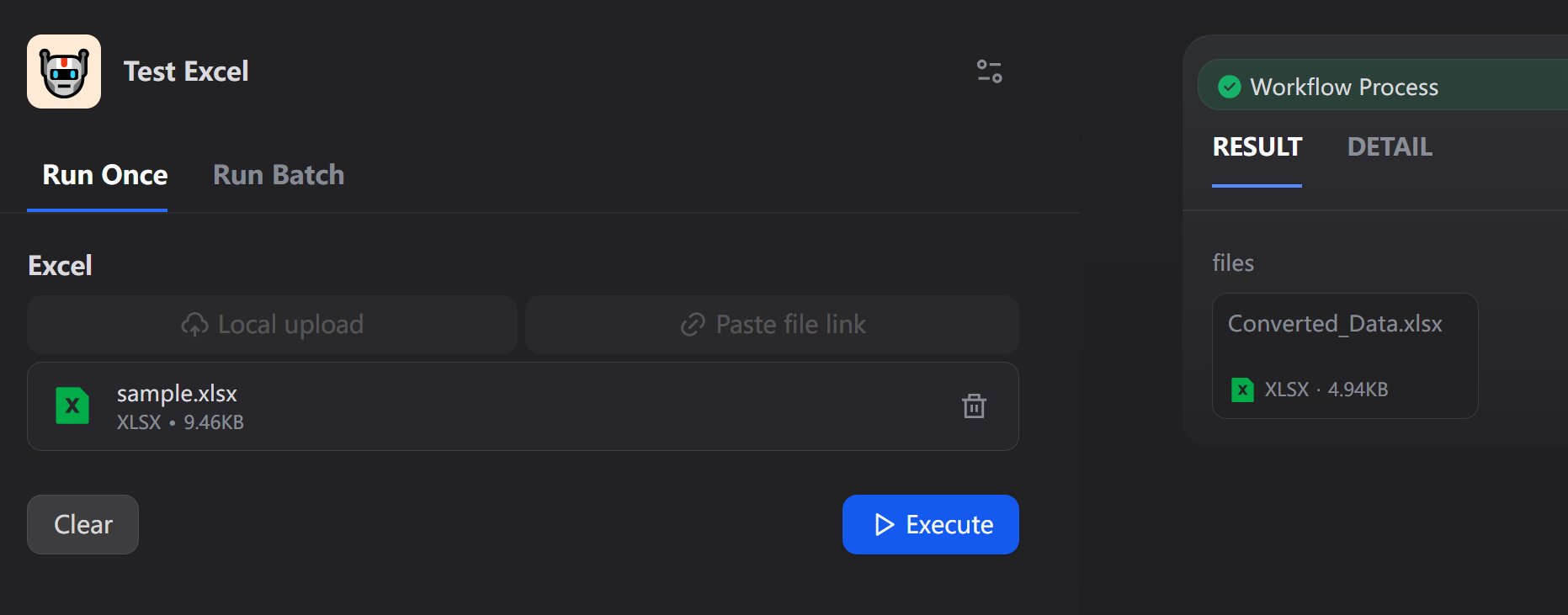
- : Read the Excel file and output the Json presentation of the data.
- : Convert the given json string (list of records) to xlsx blob.
Usage

Tools
xlsx → json
- The output is placed in the output field rather than the field in order to preserving the header order.
- All cells are parsed as string, no matter what it is.
- If the uploaded Excel file contains multiple sheets, the plugin will automatically convert it into a JSON object, where each key is the sheet name and the value is the data array of the corresponding sheet.
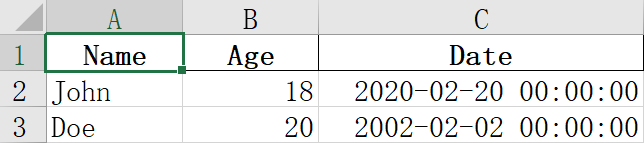
| Name | Age | Date |
|---|---|---|
| John | 18 | 2020/2/20 |
| Doe | 20 | 2020/2/2 |

json → xlsx
- The output filename can be configured, default
- If the input JSON is an object (whose values are arrays), the plugin will automatically create a multi-sheet Excel file, where each key of the object will become a sheet name.
Format Settings
The plugin supports optional formatting for row heights and column widths using the reserved key.
Note: Excel prohibits sheet names containing these characters:
Therefore, is guaranteed to never conflict with actual sheet names.
Structure
Format Priority Rules
Settings are applied in the following order (later overrides earlier):
- / - Global defaults for all rows/columns
- / - Per-sheet defaults
- / - Global specific rows/columns
- / - Per-sheet specific rows/columns
Validation and Warnings
- Unknown sheet references: If references a sheet that doesn't exist in the data, a warning will be displayed and those configurations will be ignored. The Excel file will still be generated successfully.
- Type errors: If format values have incorrect types (e.g., non-dict, negative numbers), an error will be thrown and the Excel generation will fail.
Examples
Single sheet with global formatting:
Multiple sheets with per-sheet formatting:
Column identifiers:
You can use either Excel letters or 1-based numeric indexes:
Used Open sourced projects
- pandas, BSD 3-Clause License
Changelog
- 0.0.5: Add metadata support for controlling row heights and column widths during JSON → Excel conversion
- 0.0.4: Add missing dependency (xlrd)
- 0.0.3: Add multi-sheet support for Excel processing (closes #13)
License
- Apache License 2.0
Privacy
This plugin collects no data.
All the file transformations are completed locally. NO data is transmitted to third-party services.