

Google Calendar integration for managing events, calendars, and scheduling
Google Calendar Plugin
Author: langgenius
Version: 0.1.0
Type: tool
Introduction
This plugin integrates with Google Calendar, supporting operations such as managing events, calendars, and scheduling. It enables automated calendar management in platforms like Dify.
Setup
-
Register your application in the Google Cloud Console.
-
Create a new application as follows:
- Project Name: Dify Google Calendar Plugin
- Enable APIs: Go to "APIs & Services" > "Library", search for and enable "Google Calendar API"
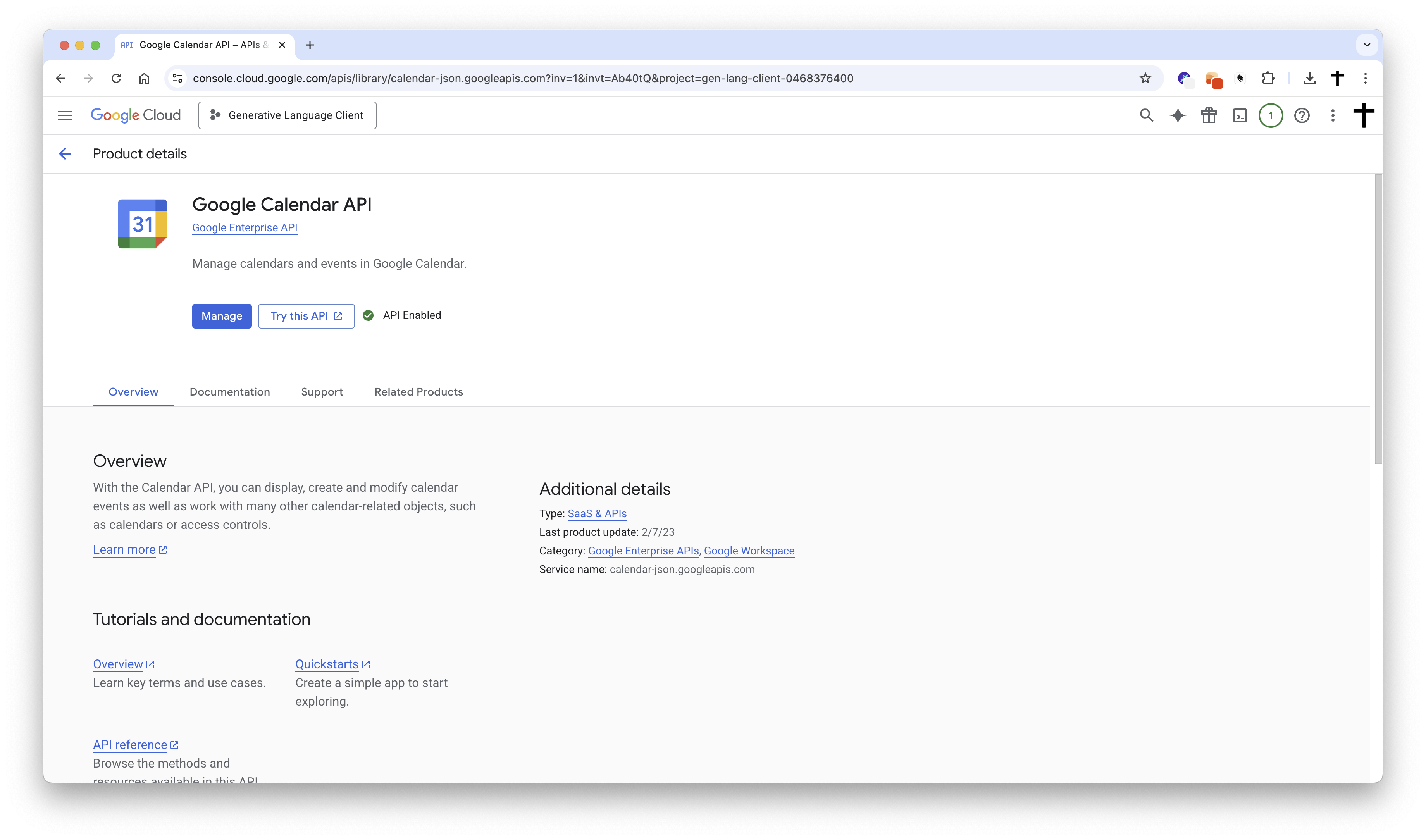
- Create Credentials: Select "OAuth 2.0 Client ID"
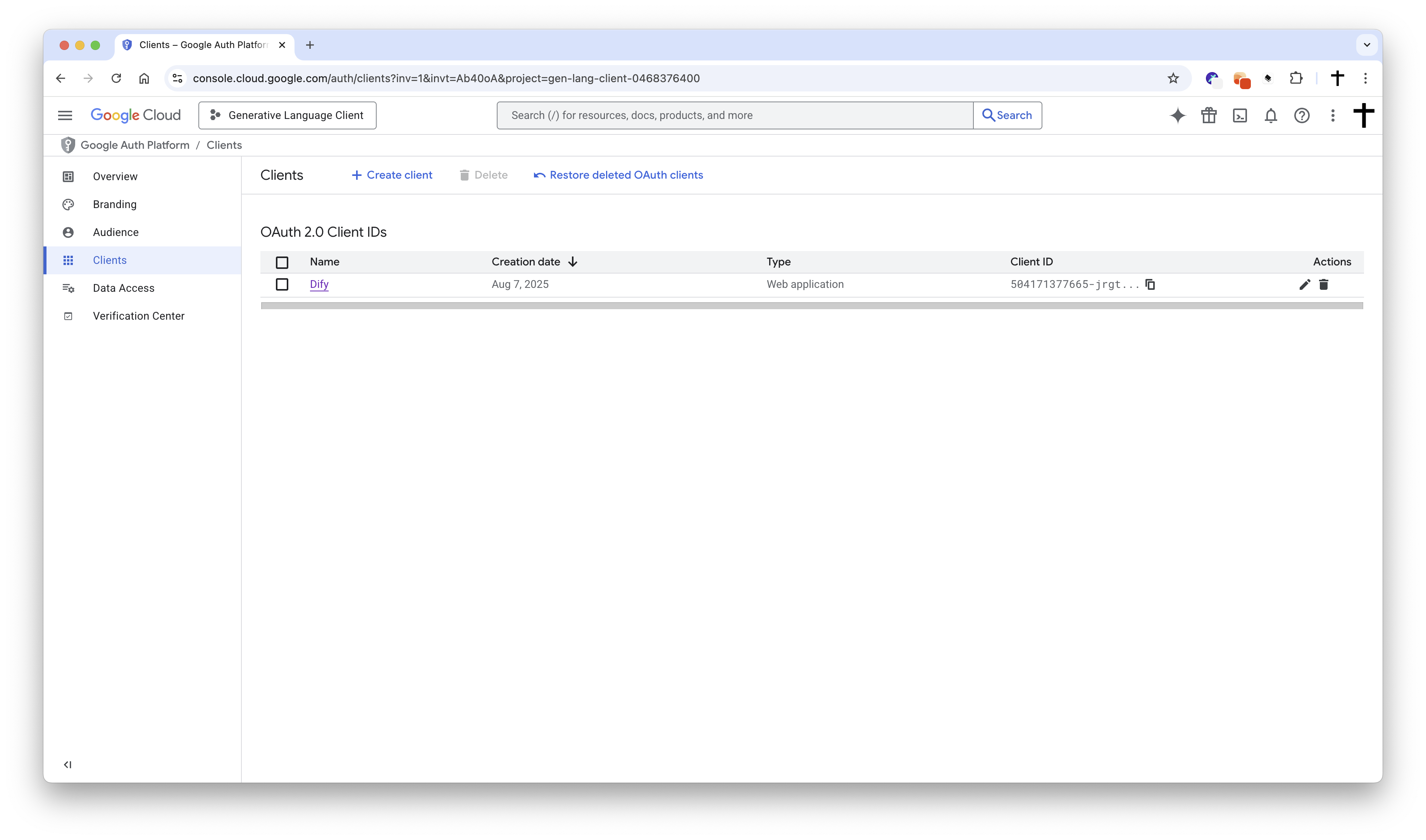
- Application Type: Choose "Web application"
- Redirect URI: Set the redirect URI to:
- For SaaS (cloud.dify.ai) users: please use
- For self-hosted users: please use
Due to the restrictions of the Google OAuth2 flow, redirect URIs must start with or .
-
Copy your Application (client) ID
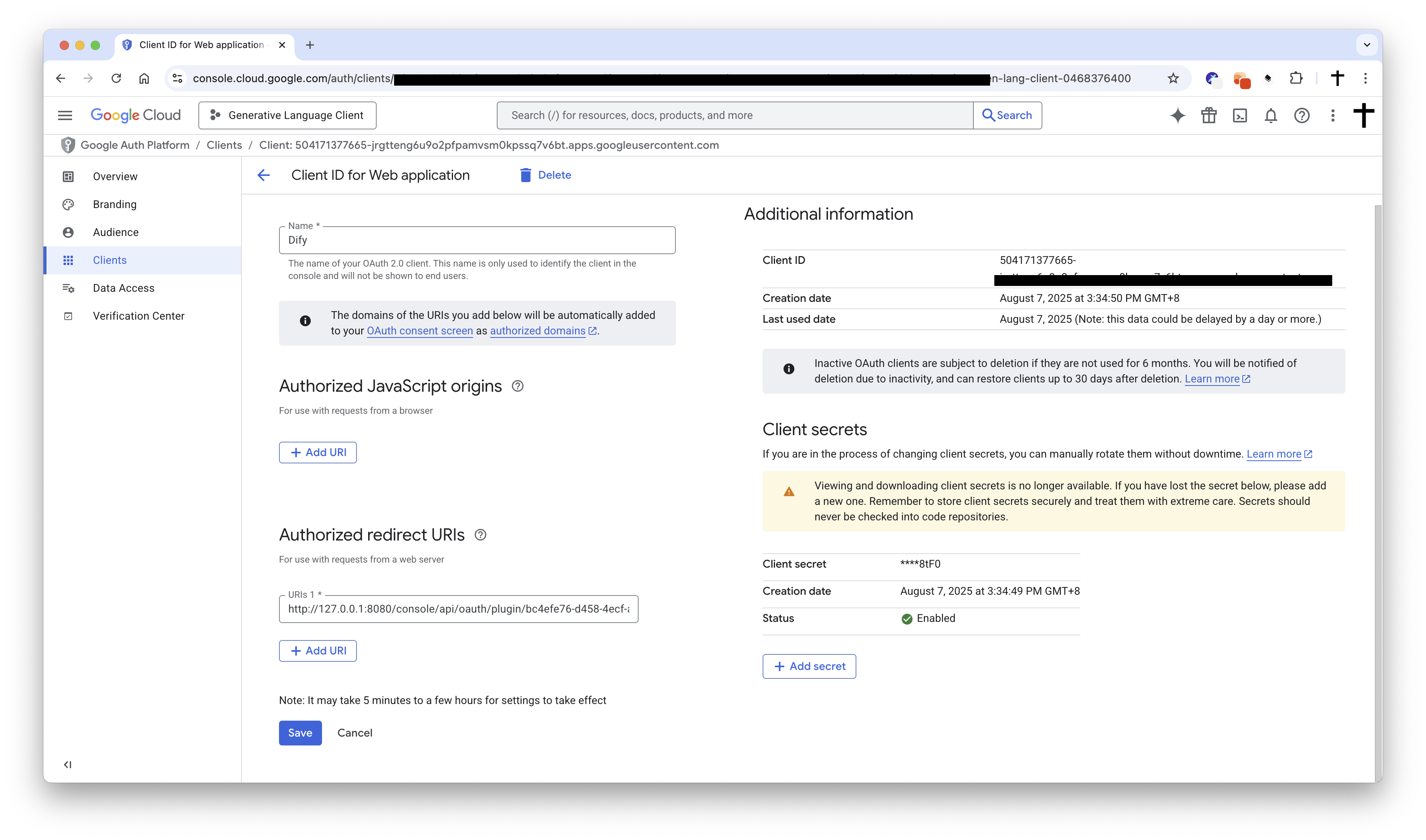
-
Create a new client secret:
- Description: Dify Google Calendar Plugin Secret
- Expires: Whatever duration you prefer (e.g., 1 year, 2 years, etc.)
- Copy the generated Value of the client secret.
-
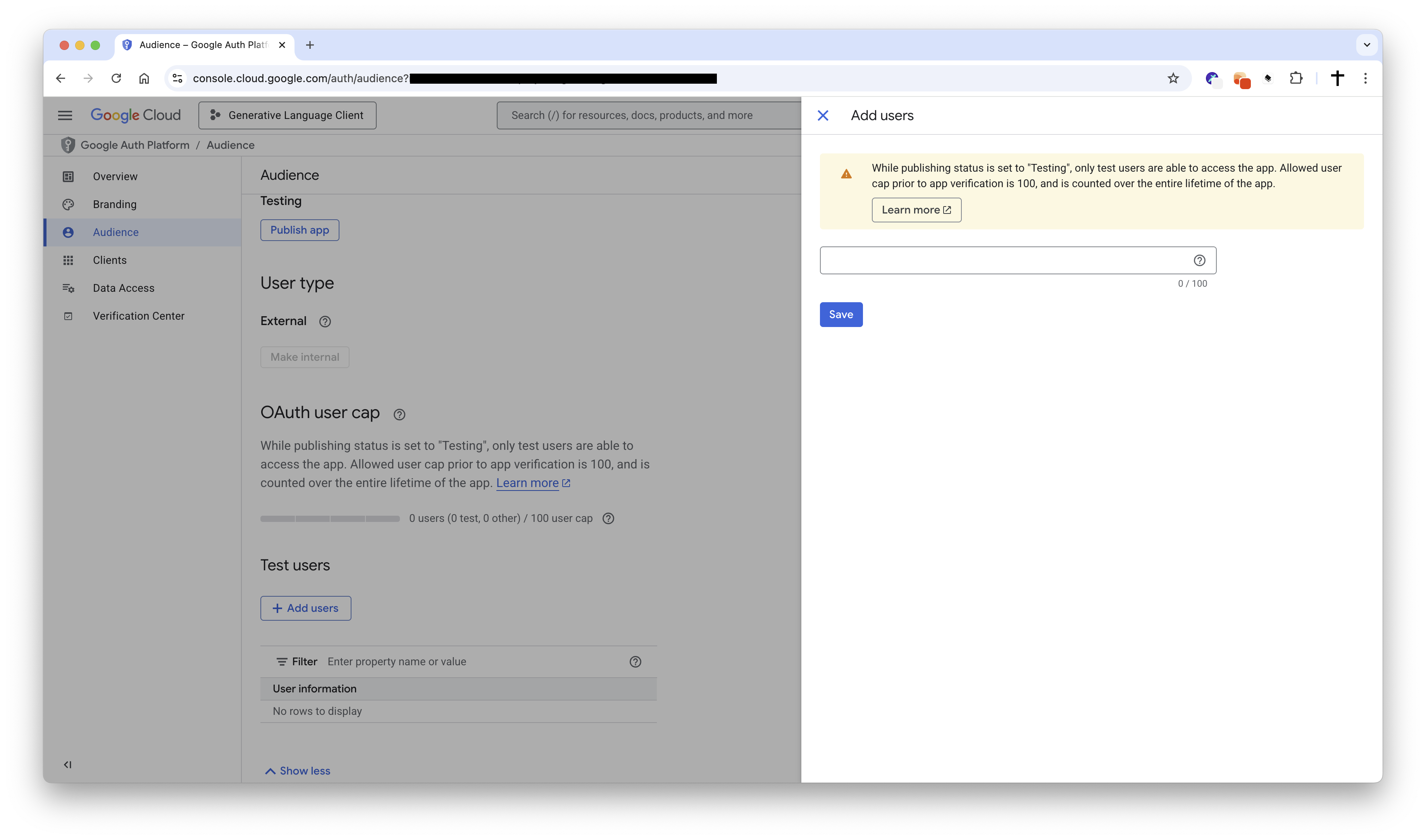
Add a test user to the Google Calendar API:
- Go to "APIs & Services" > "Credentials" > "OAuth consent screen" > "Test Users"
- Add a test user with the email address you want to use for testing.
-
Configure the plugin in Dify:
- Fill in the Client ID and Client Secret fields with the values you copied from the Google Cloud Console.
- Make sure you have the same redirect URI as specified in the Google Cloud Console. If not, you will need to update it in the Google Cloud Console.
- Click to initiate the OAuth flow.
-
Enjoy using the Google Calendar plugin in Dify!
Tool Descriptions
list_calendars
Retrieve all Google Calendar calendars accessible to the current user.
Features:
- No parameters required
- Returns a list of all accessible calendars
- Includes primary and secondary calendars
- Provides detailed calendar information (ID, name, description, access permissions, etc.)
list_events
Retrieve events from a specific calendar within a date range.
Parameters:
- calendar_id (string, optional): The ID of the calendar to list events from (use 'primary' for main calendar, default: 'primary')
- time_min (string, optional): Lower bound for event start time (ISO format, e.g., 2024-01-01T00:00:00Z)
- time_max (string, optional): Upper bound for event start time (ISO format, e.g., 2024-12-31T23:59:59Z)
- max_results (number, optional): Maximum number of events to return (1-2500, default: 10)
- show_deleted (boolean, optional): Whether to include deleted events (default: false)
- single_events (boolean, optional): Whether to expand recurring events into individual instances (default: true)
- order_by (select, optional): Order events by (startTime: start time, updated: last updated, default: startTime)
create_event
Create a new event in the specified calendar.
Parameters:
- title (string, required): The title/summary of the event
- start_time (string, required): Event start time (ISO format, e.g., 2024-01-01T10:00:00Z)
- end_time (string, optional): Event end time (ISO format). If not provided, defaults to 1 hour after start time
- calendar_id (string, optional): The calendar ID to create the event in (use 'primary' for main calendar, default: 'primary')
- all_day (boolean, optional): Whether this is an all-day event (default: false)
- description (string, optional): Detailed description of the event
- location (string, optional): Event location (address, meeting room, etc.)
- attendees (array, optional): List of attendee email addresses
- time_zone (string, optional): Time zone for the event (e.g., America/New_York, Asia/Tokyo)
- visibility (select, optional): Event visibility setting (default: default, public: public, private: private, default: default)
- send_notifications (boolean, optional): Whether to send email notifications to attendees (default: true)
search_events
Search for events in Google Calendar using text queries.
Parameters:
- query (string, required): Text to search for in event titles, descriptions, locations, or attendees
- calendar_id (string, optional): The calendar ID to search in (use 'primary' for main calendar, default: 'primary')
- time_min (string, optional): Lower bound for event start time (ISO format, e.g., 2024-01-01T00:00:00Z)
- time_max (string, optional): Upper bound for event start time (ISO format, e.g., 2024-12-31T23:59:59Z)
- max_results (number, optional): Maximum number of search results to return (1-250, default: 25)
- order_by (select, optional): Order search results by (startTime: start time, updated: last updated, default: startTime)
- show_deleted (boolean, optional): Whether to include deleted events in search results (default: false)
- single_events (boolean, optional): Whether to expand recurring events into individual instances (default: true)
Privacy
When using this plugin, your Google Calendar data will be accessed through a secure OAuth connection. The plugin only accesses and operates on your calendar data within the scope you authorize. Please refer to Google's privacy policy for more information about data handling.
Usage Examples
- Get Calendar List: Use the tool to view all available calendars
- View Today's Events: Use the tool with today's date range
- Create a Meeting: Use the tool to create a new meeting event with title, time, location, and attendees
- Search Specific Events: Use the tool to find relevant events by keywords
Last updated: August 7, 2025