

Mistral OCR is ideal for RAG systems with multimodal documents like slides or complex PDFs.
Mistral OCR Plugin
This plugin integrates Mistral OCR capabilities into Dify, allowing you to extract text and structured content from PDF documents and images with high accuracy and formatting preservation.
Features
- Extract text while preserving structure and formatting (headers, paragraphs, lists, tables)
- Return results in markdown format
- Handle complex layouts (multi-column text, mixed content)
- Process various formats (PDF, images) with high accuracy
Setup
- Get your Mistral API key from Mistral AI Console
- Configure the plugin with your API key in the credentials section
- Use it in your Dify Agent, Chatflow, and Workflow.
Usage
The Mistral OCR tool can process documents in two ways:
- File Upload: Upload PDF documents or images directly through the Dify interface
- URL Processing: Process documents from publicly accessible URLs
Parameters
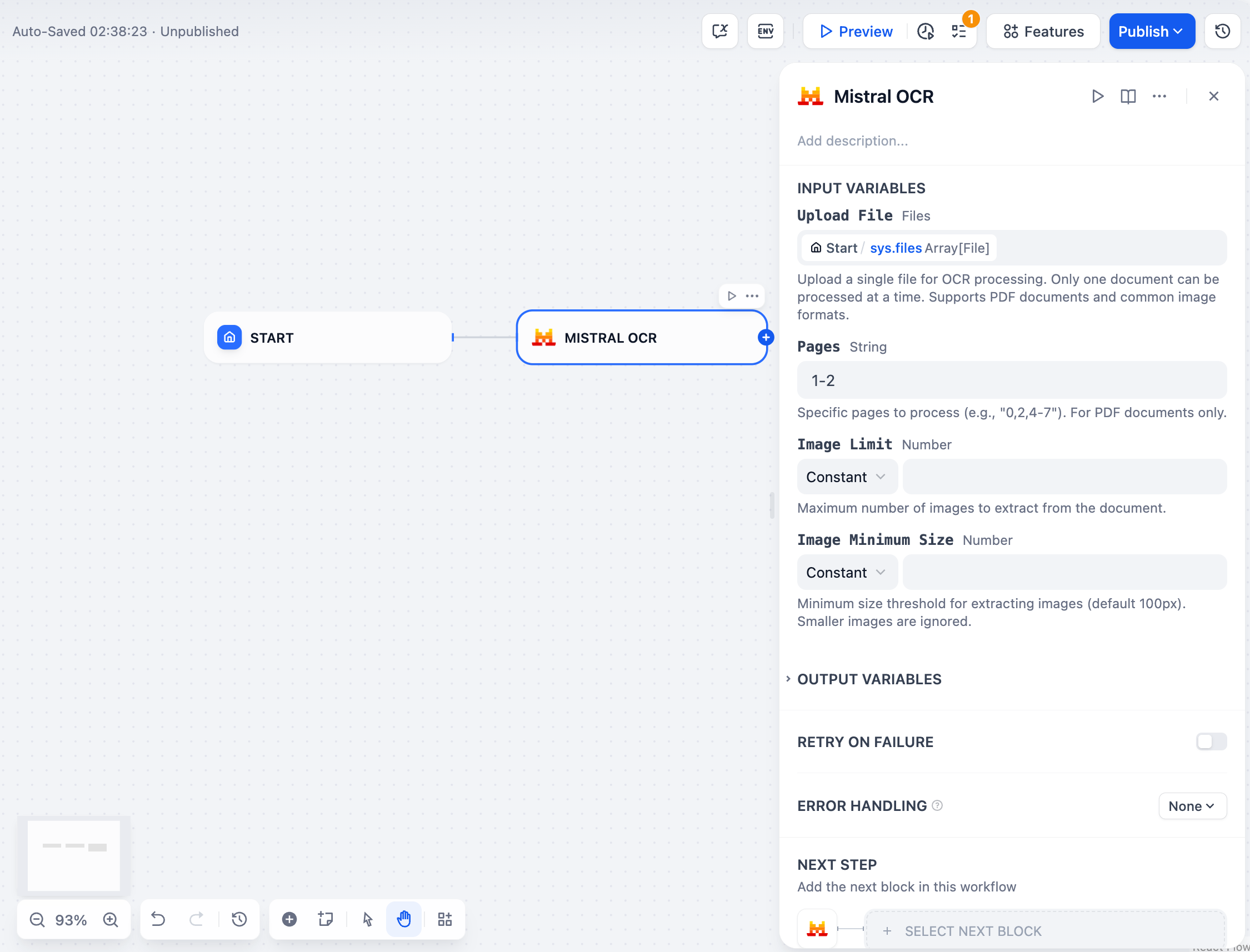
- : Upload a file for OCR processing. Supports PDF documents and common image formats
- : Specific pages to process (e.g., "0,2,4-7"). For PDF documents only (default: "0")
- : Maximum number of images to extract from the document (optional)
- : Minimum size threshold for extracting images in pixels (default: 100)
Examples
Processing a PDF document
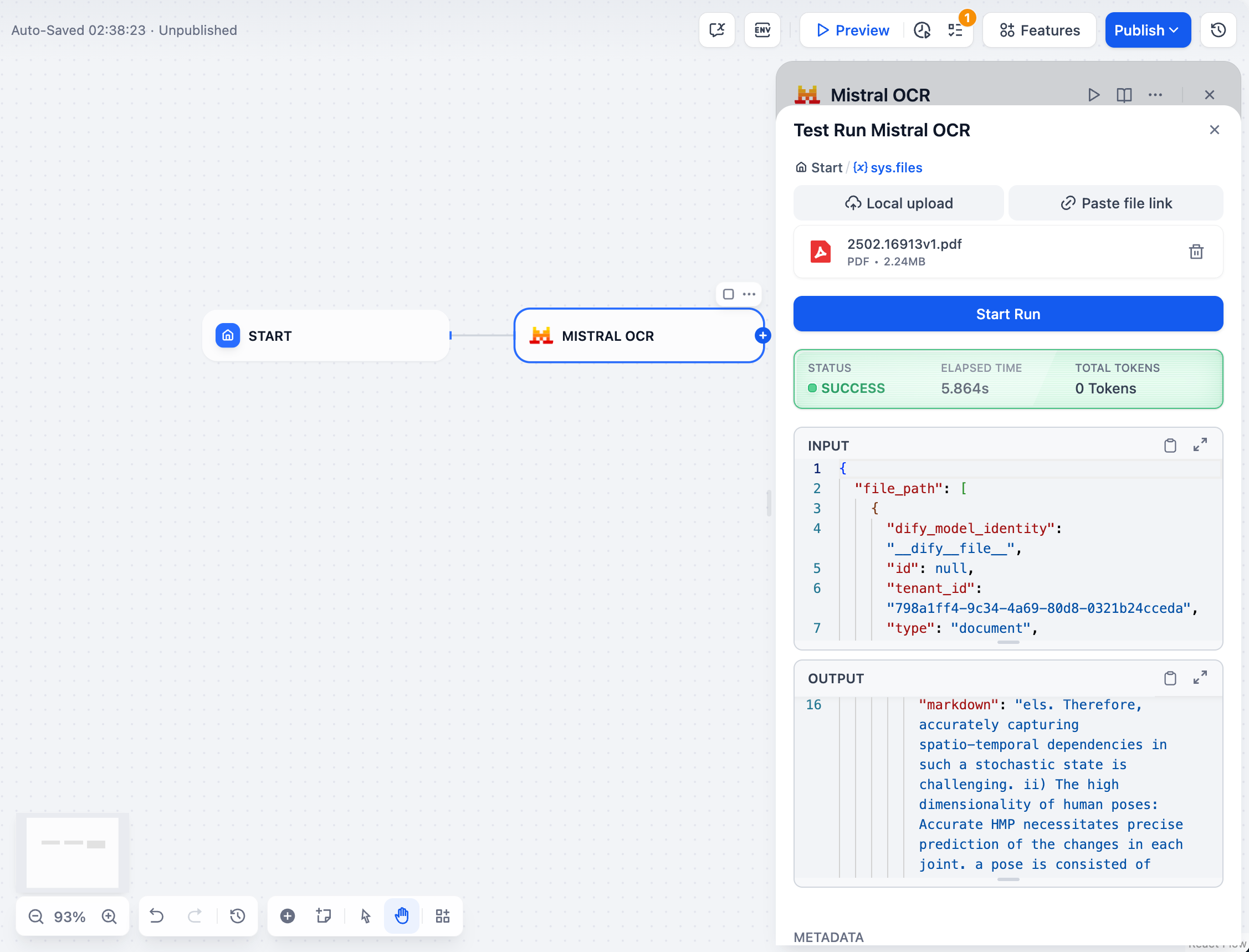
Upload a PDF or enter the PDF URL through the Dify interface and configure the following parameters:
Processing an image
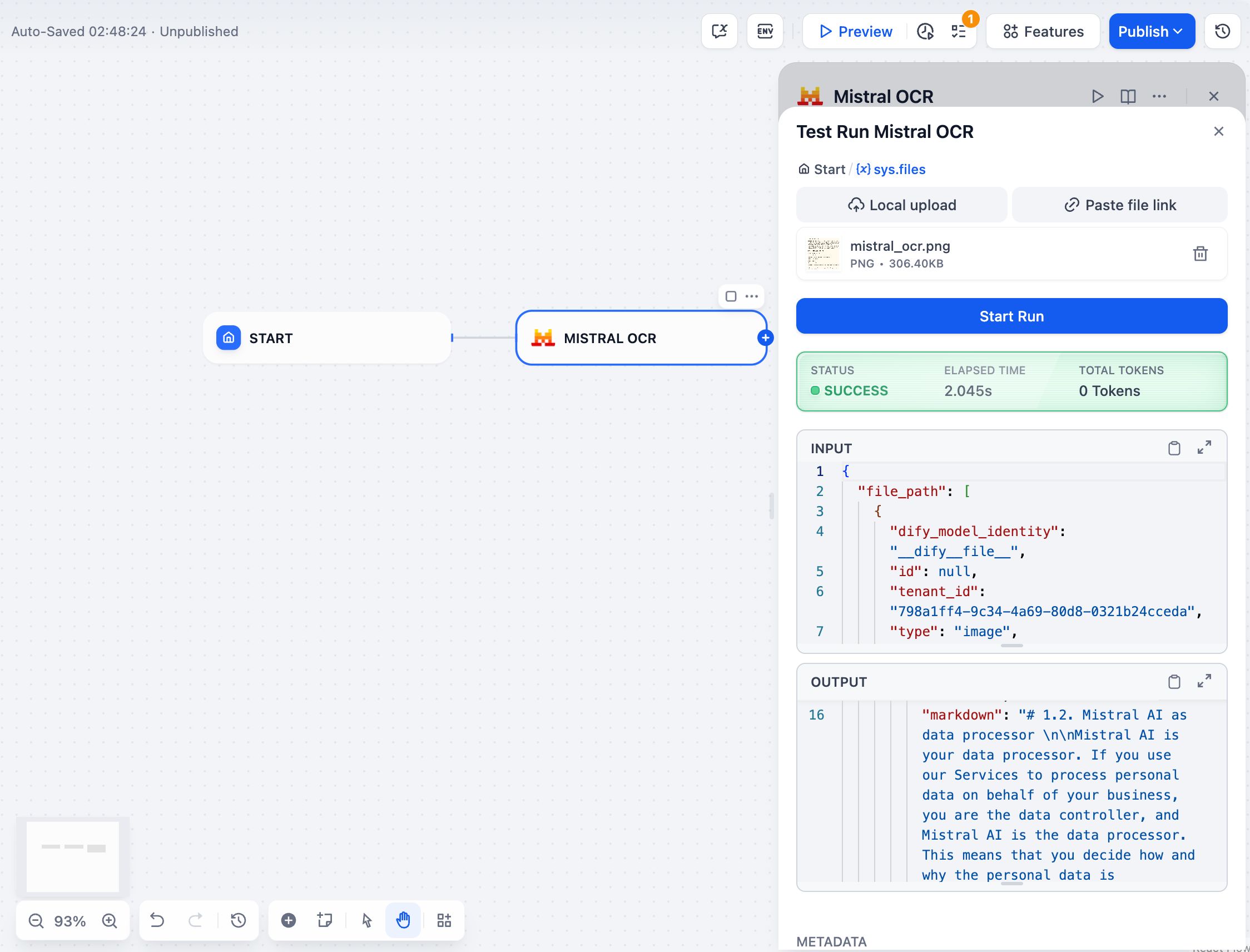
Simply upload an image or provide a URL through the Dify interface without needing to configure any additional parameters.
Response
The tool returns OCR results in JSON format that includes:
- Pages: Array of page objects with extracted text in markdown format
- Images: Any images extracted from the document (if applicable)
- Document structure: Information about the document structure and layout
- Formatting: Preserved formatting elements like headings, paragraphs, and tables
Privacy
This plugin processes your documents according to our Privacy Policy. Your files are processed temporarily and are not stored permanently by the plugin.
Contact
For questions, feedback, or support regarding the Mistral OCR plugin, please contact the author:
Leillei
📧 [email protected]