

An intelligent data analysis tool based on LLM and natural language interaction, featuring built-in data query and data visualization, as well as report generation capabilities.
data_analysis
Author: ada
Version: 1.0.15
Type: tool
English | 中文
Overview
This plugin enables codeless data analysis through natural language interaction. It supports Text2SQL, Text2Data, and Text2Code analysis. Simply upload Excel/CSV files to automatically execute data queries, data interpretation, and data visualization (ChatBI).
New support for multi-sheet queries and cross-sheet analysis, capable of automatically recognizing and parsing structured data in multiple worksheets, improving multi-sheet data processing capabilities.The plugin will intelligently parse time, metrics, and analytical dimensions through conversational queries , then generate SQL queries for data, and create interactive BI charts and structured analysis reports. Optimized for standardized vertical datasets, powered by enterprise-grade analytics engine for reliable results.
Configuration
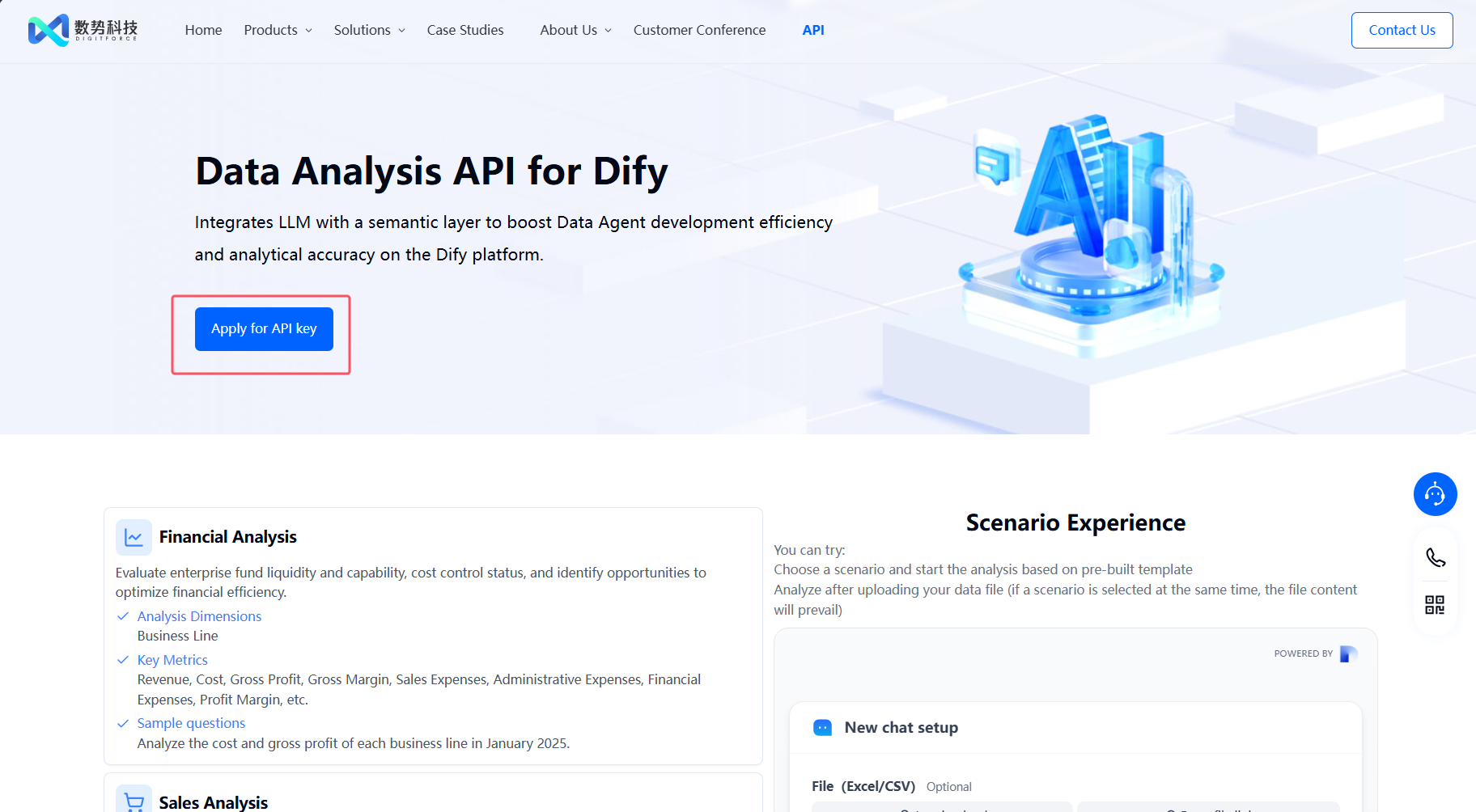
1. Apply for an API Key
Please apply for an API Key here.
2. Get data analysis tools from the Marketplace
The tools could be found at the plugin Marketplace, please install it.
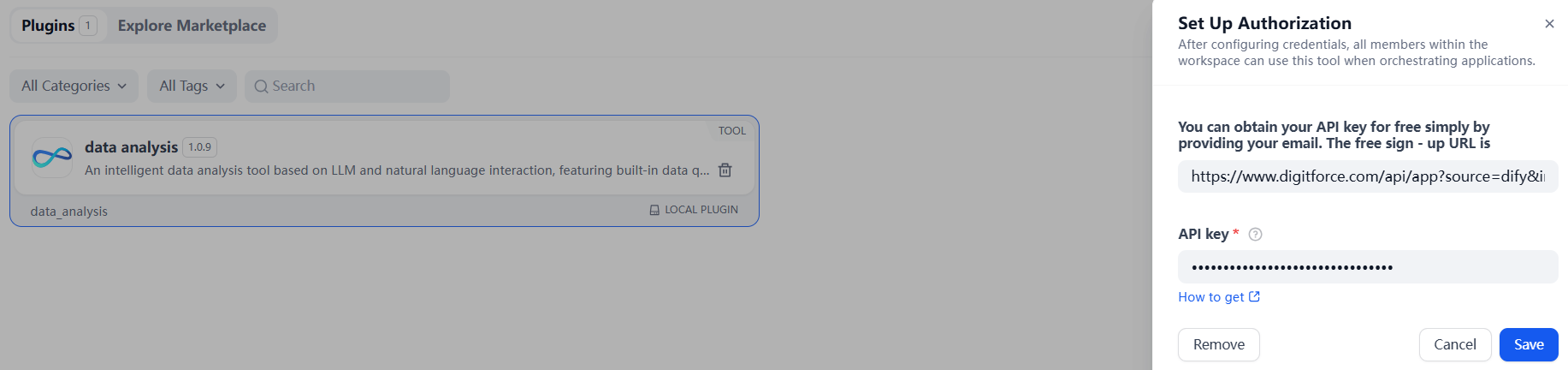
3. Service Authorization
- Select [Plugins] - [data analysis] in Dify navigation page
- Click the "To Authorize" button
- Paste your unique API Key to complete verification
Workflow Cases
The following are the parameter descriptions and usage scenario examples of each tool.
1. data_connector
Used to connect mainstream databases such as MySQL, PostgreSQL, Starrocks and Doris, allowing users to query database data using natural language. Once data is retrieved, it can be seamlessly integrated with our other tools for analysis, interpretation, and visualization.
The query results support downloading as an .xlsx file for easier local viewing and further processing.
💡 If you want the output to include files, please ensure to add the ' files ' output type in the last component of the flow to get the download link.
Note: For optimal browsing experience, results are limited to 100 rows by default. When working with large datasets, user may retrieve the full dataset by using the intelligently generated SQL query provided by the tool.
| Input Parameter | Description | Example |
|---|---|---|
| query | Query statement | query Query statement "Search GMV data in 2024.06.30" |
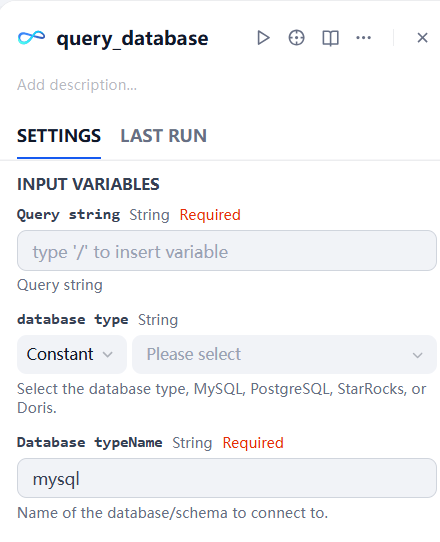
| database type | Select the corresponding type of database | As shown in the following figure |
| database typename | Name of the database/schema to connect to | As shown in the following figure |
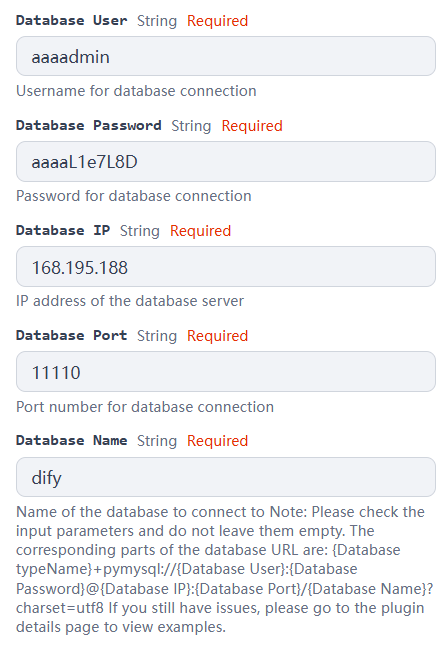
| database user | Username for database connection | As shown in the following figure |
| database password | Name of the database/schema to connect to | As shown in the following figure |
| database ip | IP address of the database server | As shown in the following figure |
| database port | Port number for database connection | As shown in the following figure |
| database name | Name of the database to connect to | As shown in the following figure |
Example input: For the database with url="mysql+pymysql://aaaadmin:[email protected]:11110/dify?charset=utf8", fill in the parameters as shown in the following figures.
| Output Parameter | Description | Example |
|---|---|---|
| query results | Output of data_connector(Including SQL statements and returned query results in markdown format.) | As shown in the following figure |

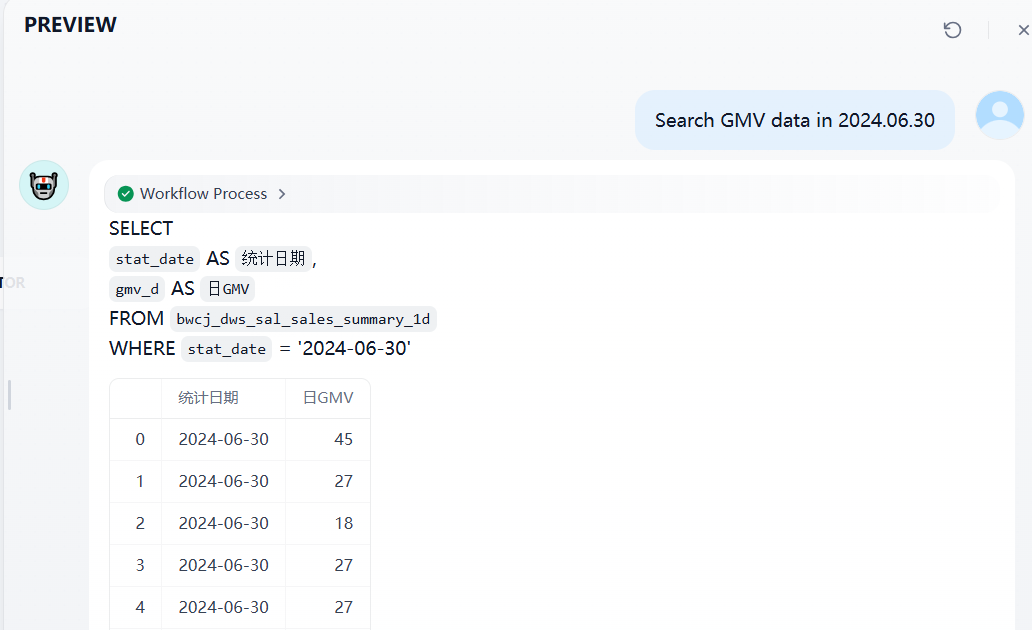
Common Precautions:
- When the database contains too many tables, you need to specify the table name in the query (the table name must match exactly with the name in the database).
- Pay attention to distinguish between IP and port when entering parameters.
- Internal network, local databases and clustered databases are not currently supported; only databases that can be connected through DBeaver can be used.
2. data_analysis
| Parameter | Description | Example |
|---|---|---|
| query | Query statement | "What were the best-selling products in each month?" |
| input_data | Table data in Markdown format (e.g. markdown text output by the Doc Extractor for tables) | As shown in the sales table example |
| file | Data file(xlsx、xls、csv) | example.xlsx |
Note: Only one of input_data or file is needed. If both are provided, file takes precedence. File types support both row-metric-column data files and column-metric-row data files.
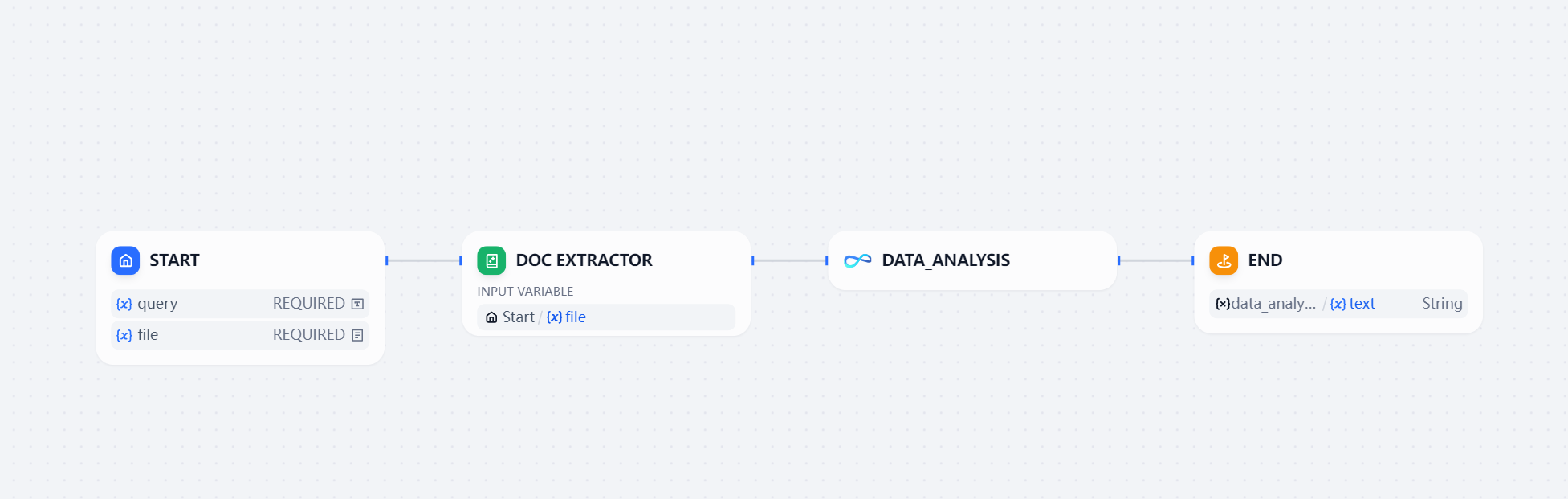
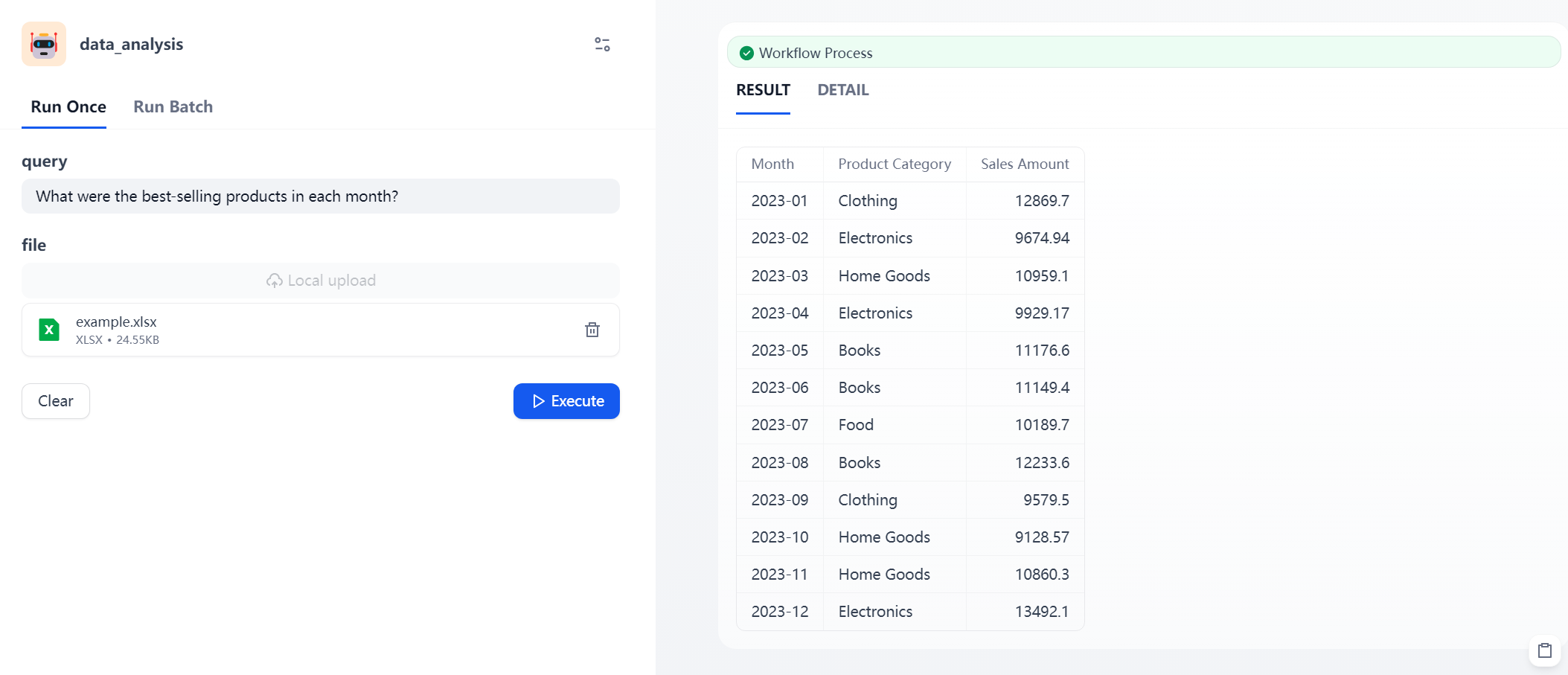
The query results support downloading as an .docx file for easier local viewing and further processing.
💡 If you want the output to include files, please ensure to add the ' files ' output type in the last component of the flow to get the download link.
3. data_interpretation
| Parameter | Description | Example |
|---|---|---|
| query | Query statement | "Please provide a simple data interpretation." |
| input_data | Table data in Markdown format (e.g. markdown text output by the Doc Extractor for tables) | As shown in the sales table example |
| file | Data file(xlsx、xls、csv) | example.xlsx |
Note: Only one of input_data or file is needed. If both are provided, file takes precedence.
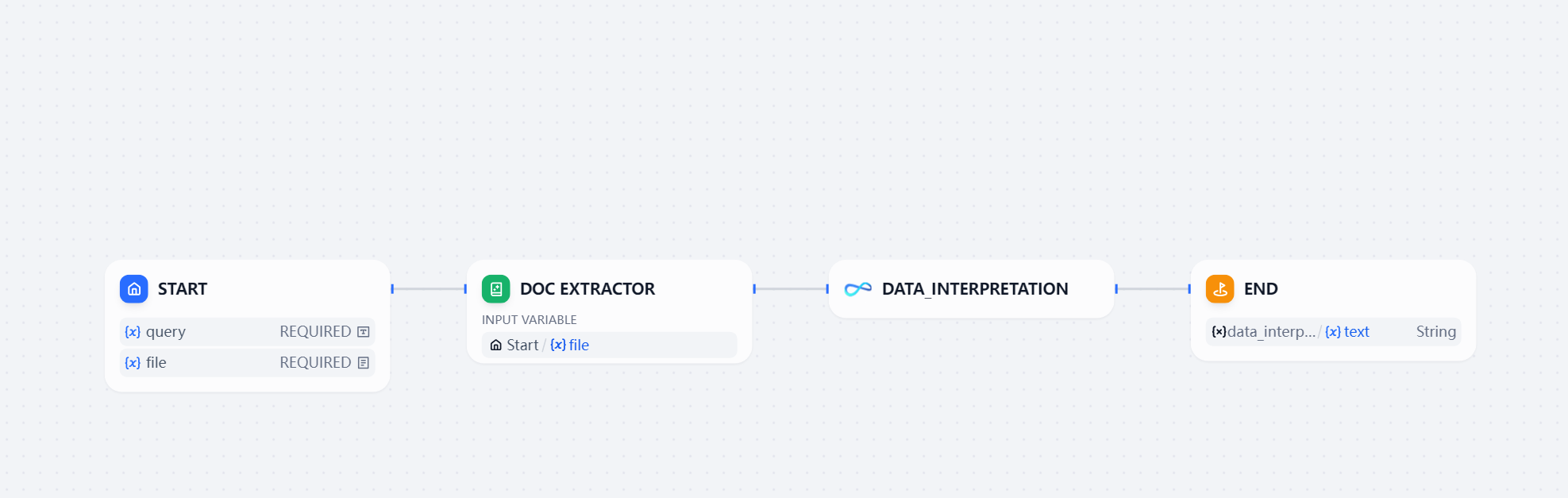
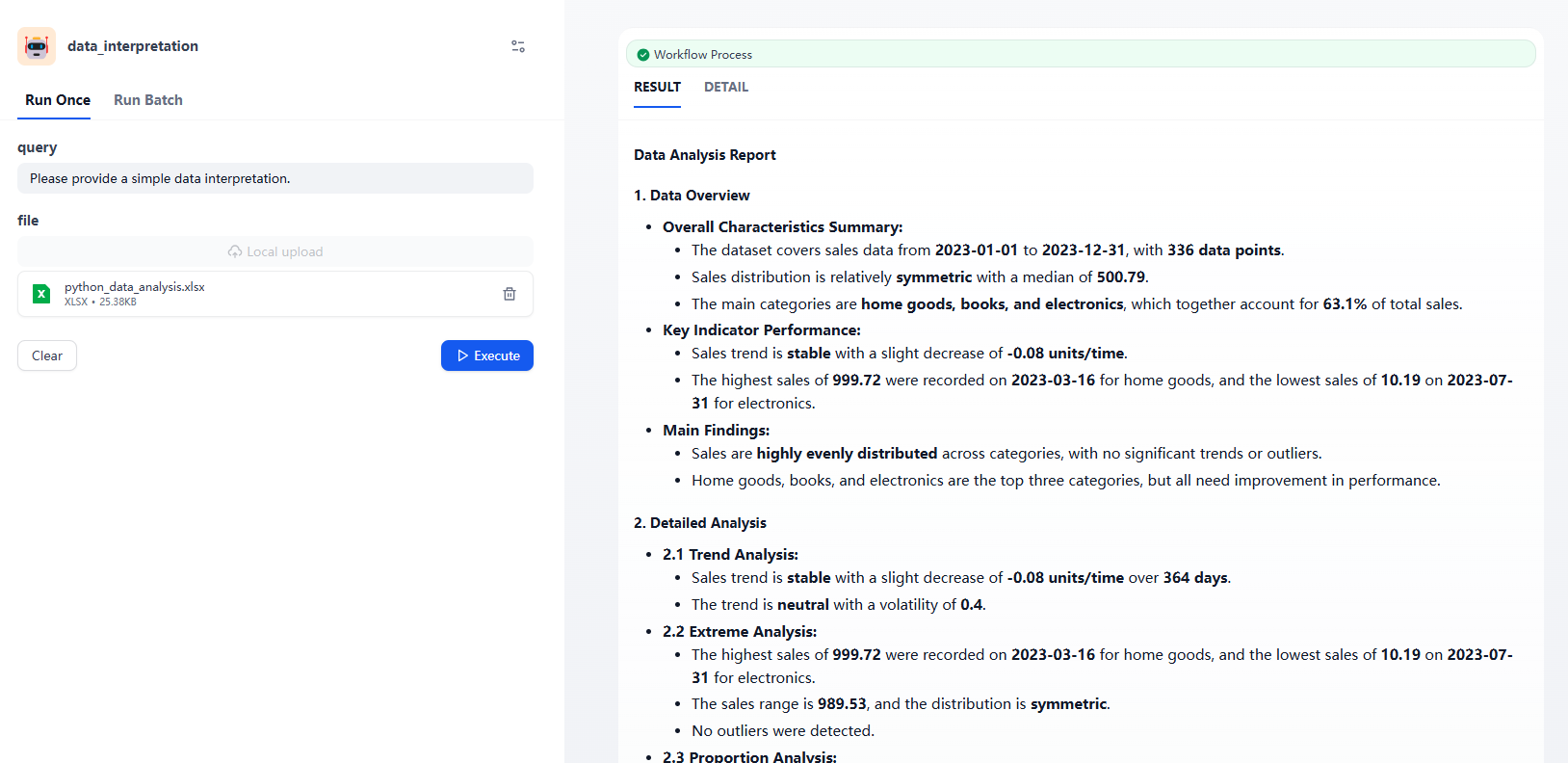
The query results support downloading as an .docx file for easier local viewing and further processing.
💡 If you want the output to include files, please ensure to add the ' files ' output type in the last component of the flow to get the download link.
4. data_visualization
| Parameter | Description | Example |
|---|---|---|
| query | Query statement | "Display the total sales of each product in a pie chart." |
| input_data | Table data in Markdown format (e.g. markdown text output by the Doc Extractor for tables) | As shown in the sales table example |
| file | Data file(xlsx、xls、csv) | example.xlsx |
Note: Only one of input_data or file is needed. If both are provided, file takes precedence. File types support both row-metric-column data files and column-metric-row data files.
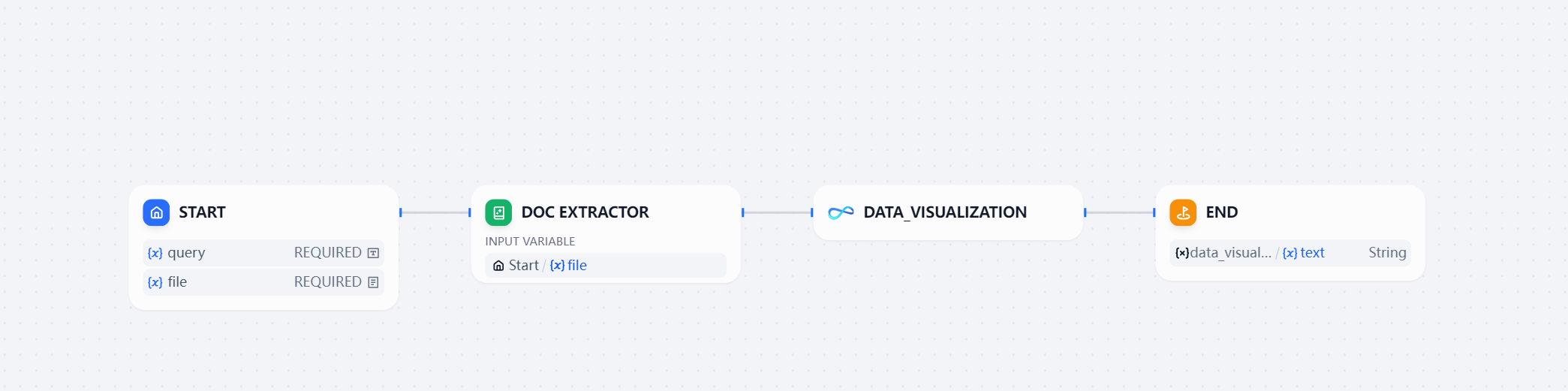
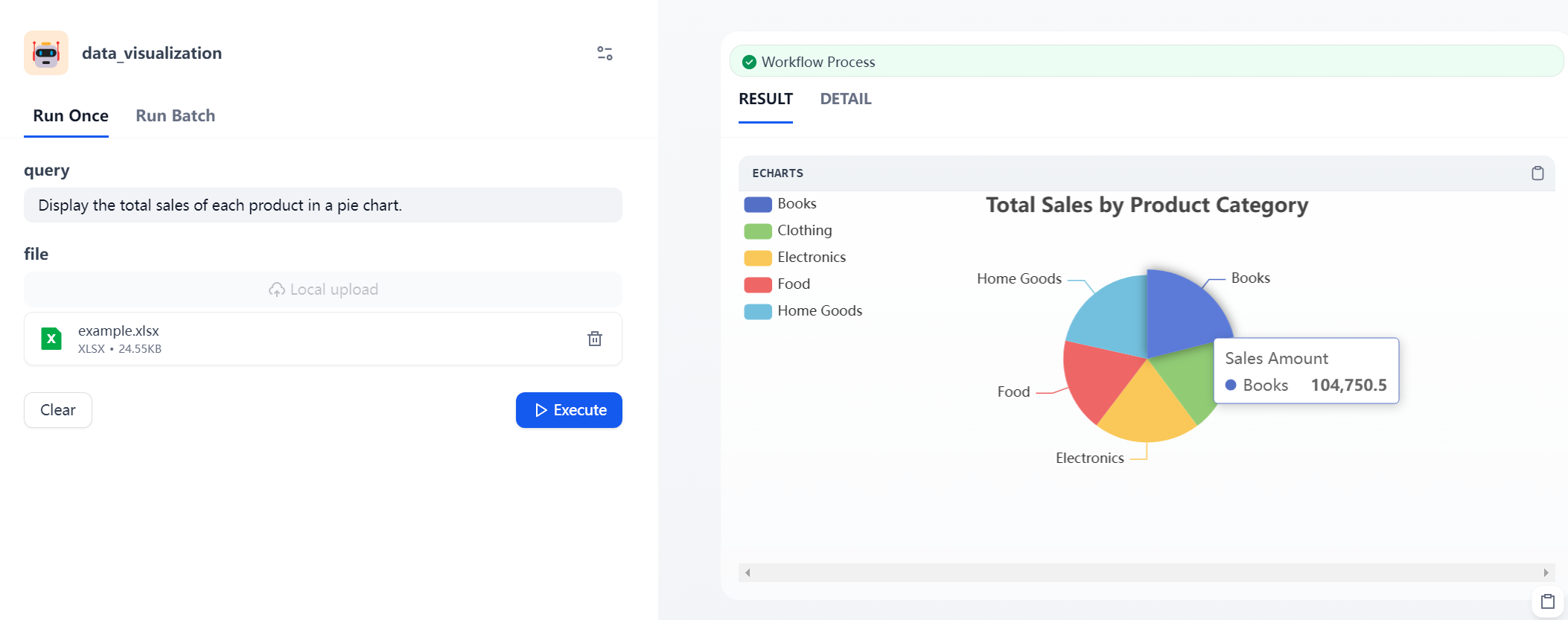
The query results support downloading as an .html file for easier local viewing and further processing.
💡 If you want the output to include files, please ensure to add the ' files ' output type in the last component of the flow to get the download link.
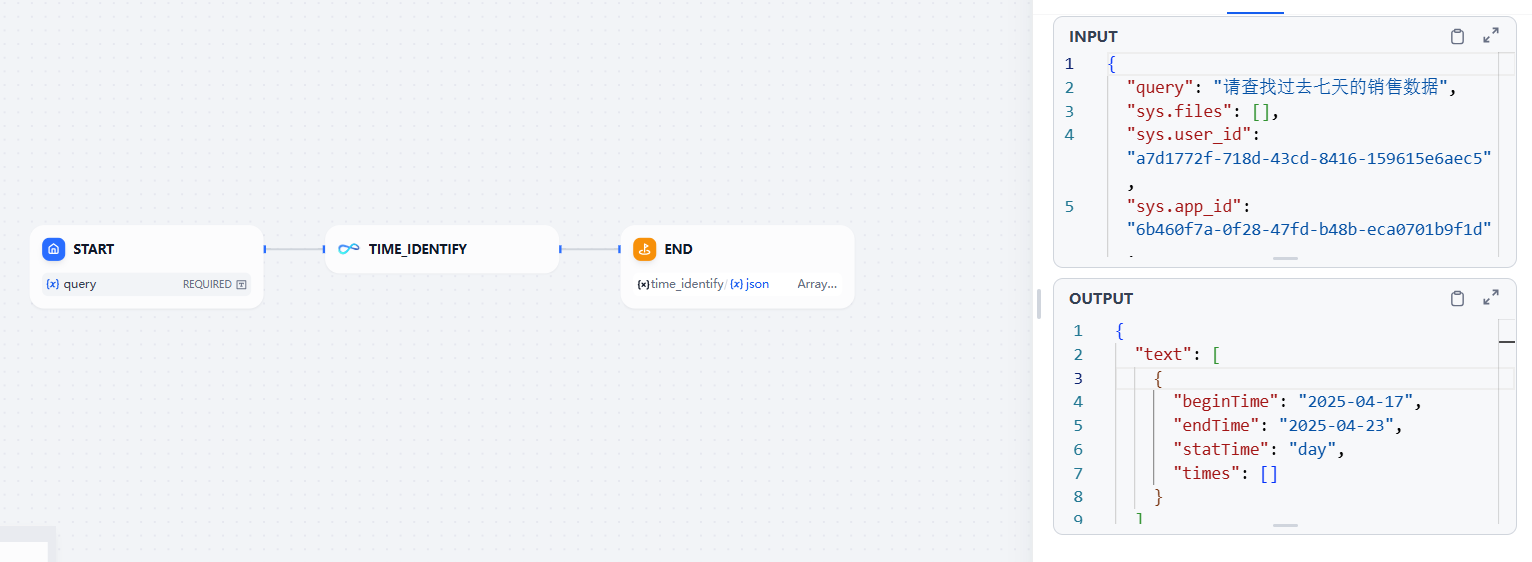
5. time_identify
Used to parse the time required for analysis based on the problem description
| Parameter | Description | Example |
|---|---|---|
| query | Query statement | "Show me the sales data from the last 7 days" |
| Output Parameters | Description |
|---|---|
| beginTime | Start time of the time range |
| endTime | End time of the time range |
| times | Discrete time points (e.g. Jan 1, 2025 and Jan 20, 2025) |
| statTime | Time granularity, including: "year", "quarter", "month", "week", "day". For example, if the user asks about "July of this year", the granularity would be "month". |
Note: Any time range excludes today and future dates. When the user asks about the last 7 days, the end time of the returned does not include today, and it is calculated backwards 7 days from yesterday.
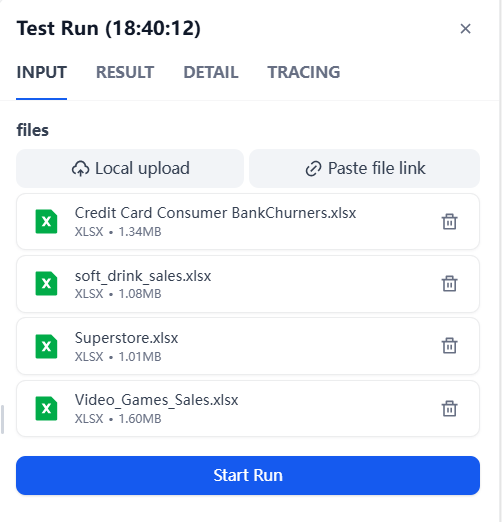
6. merge_to_multisheet
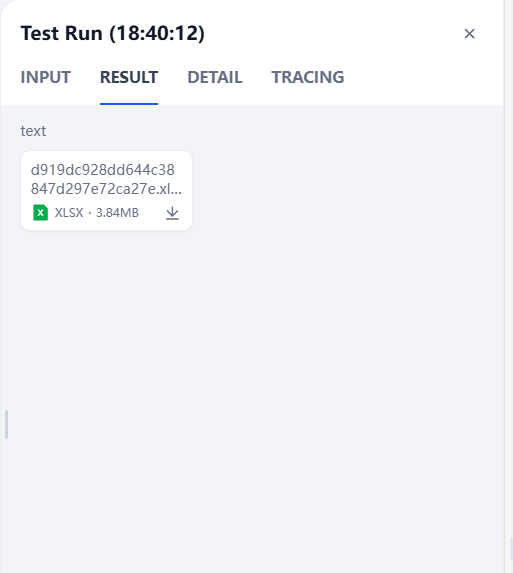
Merge multiple files into a single file with multiple worksheets.
| Parameter | Description | Example |
|---|---|---|
| files | Data files(xlsx、xls、csv) | example.xlsx |
| Output Parameter | Description | Example |
|---|---|---|
| file | Data file(xlsx、xls、csv) | example.xlsx |
Note: The uploaded files must meet the size and quantity requirements of the Dify platform.
Consult
Contact us for inquiries or feedback.

Discover SwiftAgent: Enterprise-grade data analytics and decision-making powered by LLM and intelligent agents.