

AI text-to-image and image-to-image generation plugin powered by ModelScope Qwen-Image
中文 | English
Qwen Text2Image & Image2Image Dify Plugin
📖 Project Overview
This is a comprehensive Dify plugin based on ModelScope Qwen-Image models that supports both text-to-image generation and image-to-image editing. Generate high-quality images from text descriptions or edit existing images with text prompts. The plugin uses asynchronous task processing to ensure stable and reliable image generation.
✨ Key Features
- 🎨 High-Quality Image Generation: Supports advanced Qwen-Image-2512 and other models
- ✏️ Image Editing: Edit existing images with text prompts using Qwen-Image-Edit-2511, Qwen-Image-Edit-2509 and other models
- 📐 Custom Image Size Support: Flexible image dimensions with custom size configuration (WxH format)
- 🖼️ Automatic Size Detection: Image2Image tool automatically detects input image dimensions as default
- ⚡ Asynchronous Processing: Uses task submission + polling async mode to avoid timeouts
- 🔄 Real-time Feedback: Provides detailed generation progress and status information
- 🛡️ Error Handling: Comprehensive exception handling with user-friendly error messages
- 🌐 Bilingual Support: Supports both English and Chinese interface and messages
🏗️ Project Architecture
🚀 Quick Start
1. Get ModelScope API Key
- Visit ModelScope Official Website
- Register and login to your account
- Go to My Access Token page
- Create a new API Key (format: )
2. Install Dependencies
3. Configure Environment
Copy to and configure the parameters:
4. Install Plugin in Dify
- Upload the plugin folder to Dify plugin directory
- Enable the plugin in Dify management interface
- Configure ModelScope API Key
🔧 Usage
Basic Usage
-
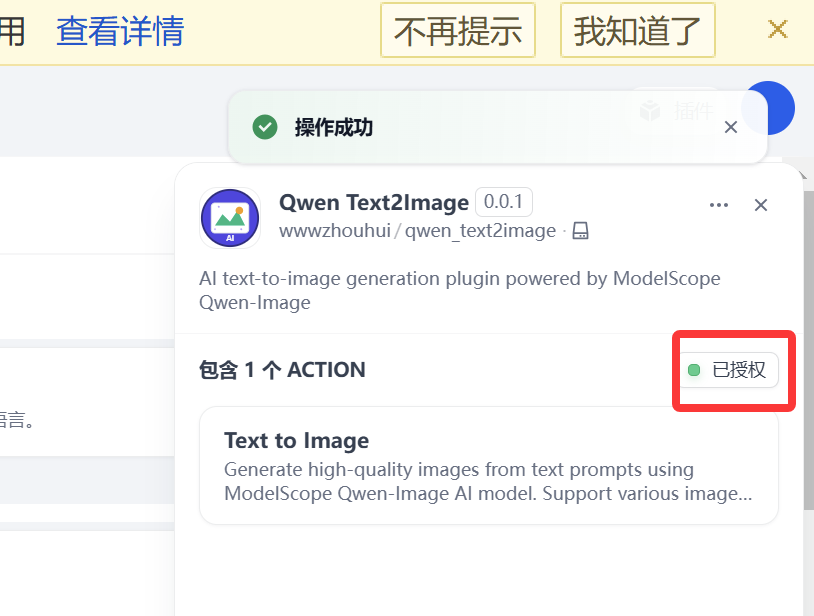
Add "Qwen Text2Image" tool in Dify workflow
-
Configure ModelScope API Key

-
Input image description prompt
-
Select model (default: Qwen-Image)
-
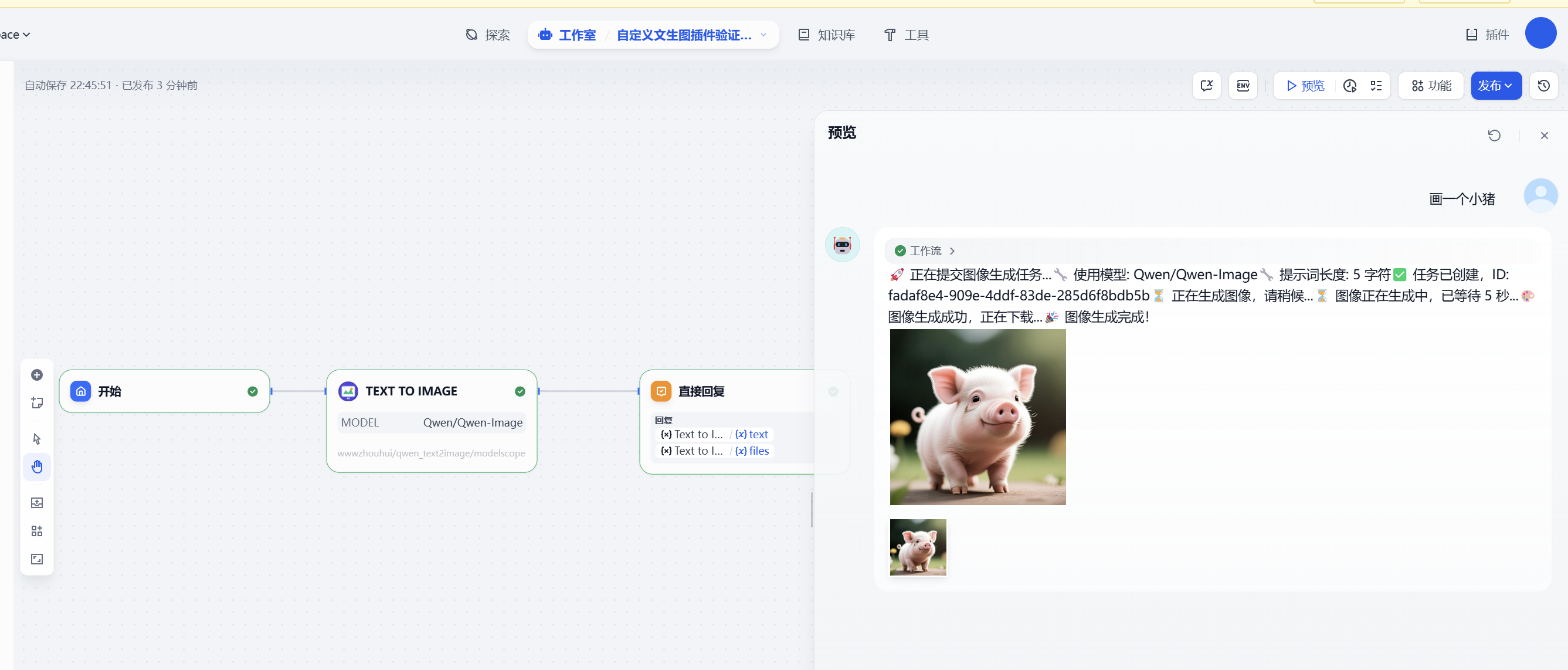
Run the tool to generate image
Workflow DSL example:
Prompt Suggestions
For best image generation results, we recommend:
- Detailed Description: Provide specific information about scene, objects, colors, styles, etc.
- Clear Expression: Use concise and clear language for description
- Style Specification: You can specify artistic styles like "oil painting style", "cartoon style", etc.
Example prompt:
⚙️ Technical Implementation
Core Workflow
- Task Submission: Submit asynchronous image generation task to ModelScope API
- Status Polling: Query task status every 5 seconds, wait up to 5 minutes
- Image Download: Download generated image after task completion
- Format Conversion: Use PIL to convert image to PNG format and return
API Call Pattern
🔍 Troubleshooting
Common Issues
-
Invalid API Key
- Check if API Key format starts with
- Confirm API Key is valid and not expired
-
Generation Timeout
- Check if network connection is normal
- Try simplifying prompt description
- Retry later
-
Image Download Failed
- Check network connection
- Confirm firewall settings allow access to ModelScope domains
Error Codes
- : Invalid or unauthorized API Key
- : API call rate limit exceeded
- : Internal server error
📋 Development Standards
This plugin strictly follows the Dify text-to-image plugin development standards defined in CLAUDE2.md:
- ✅ Asynchronous task processing mode
- ✅ Complete error handling mechanism
- ✅ Real-time progress feedback
- ✅ Bilingual support (English/Chinese)
- ✅ Standard ModelScope API calls
🤝 Contributing
Welcome to submit Issues and Pull Requests to improve this plugin!
📄 License
This project is licensed under the MIT License.
🔗 Related Links
📦 Release Notes
0.0.4
- Fixed Image2Image Functionality: Resolved issue where ModelScope server couldn't access Dify internal image URLs causing task failures
- Added Temporary Image Hosting: Integrated litterbox.catbox.moe temporary image hosting service to automatically upload images and obtain publicly accessible URLs
- Improved Image Processing:
- Automatically handles RGBA, LA, P and other color modes, converting to RGB format
- Supports image URLs from various sources (including Dify internal addresses, intranet addresses, etc.)
- Increased Network Timeout:
- API submission request timeout: 300 seconds
- Task status polling timeout: 120 seconds
- Image hosting upload timeout: 120 seconds
- Updated Default Model: Image2Image default model updated to
- Improved Error Handling: Optimized error message extraction logic, providing more detailed debugging information
0.0.3
- Enhanced Custom Image Size Support: Both Text2Image and Image2Image tools now support flexible custom image dimensions
- Automatic Size Detection: Image2Image tool automatically detects and uses input image dimensions as default size
- Improved Size Validation: Added comprehensive size format validation with user-friendly error messages
- Better Error Handling: Enhanced error messages for invalid size parameters with automatic fallback
- Code Optimization: Improved parameter handling and validation logic in both tools
- Updated Documentation: Enhanced README with detailed size configuration examples and usage guidelines
0.0.2
- Added Image-to-Image tool (Image2Image) based on ModelScope Qwen-Image-Edit
- New files: ,
- Registered the tool in and imported in
- Updated description and labels to reflect both text-to-image and image-to-image
- Updated README docs (EN/ZH)
- Backward compatible; no breaking changes; existing Text2Image workflows are unaffected
- Usage: In Dify, choose the "Image to Image" tool, then provide a prompt and a public image URL
0.0.1
- Initial release with Text2Image tool based on ModelScope Qwen-Image