

Nano Banana Text2Image
0.0.3
AI text-to-image generation plugin powered by OpenRouter API with multiple models support (Gemini, Claude)
wwwzhouhui/nano_banana_text2image4111 installs
中文 | English
🍌 Nano Banana OpenRouter Text-to-Image Plugin
High-quality AI text-to-image Dify plugin based on OpenRouter API, supporting multiple advanced image generation models
✨ Features
- 🎨 Multi-Model Support: Supports multiple image generation models including Google Gemini, OpenAI DALL-E, and Anthropic Claude
- 🆓 Free Options: Provides free Gemini model options suitable for testing and light usage
- 💎 High-Quality Output: Supports premium models for professional-grade image quality
- 🔄 Image Transformation: Supports image-to-image transformation functionality
- 🌐 Multilingual: Complete bilingual support in Chinese and English
- ⚡ Real-time Feedback: Detailed generation progress and status feedback
- 🛡️ Error Handling: Comprehensive error handling with user-friendly prompts
🚀 Quick Start
1. Get OpenRouter API Key
- Visit OpenRouter
- Create an account and generate an API Key
- Copy your API Key (format: )
2. Install Dependencies
3. Configure Environment Variables
4. Test Plugin
🎯 Supported Models
Free Models
- Google Gemini 2.5 Flash: Fast with good quality, suitable for daily use
Premium Models
- OpenAI DALL-E 3: Highest quality image generation
- Anthropic Claude 3.5 Sonnet: Creative and artistic style images
📖 Usage Examples
Offline Plugin Installation

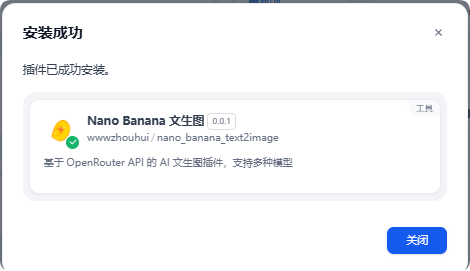
After installation, click authorize on the right and fill in your OpenRouter API key.

Agent Usage
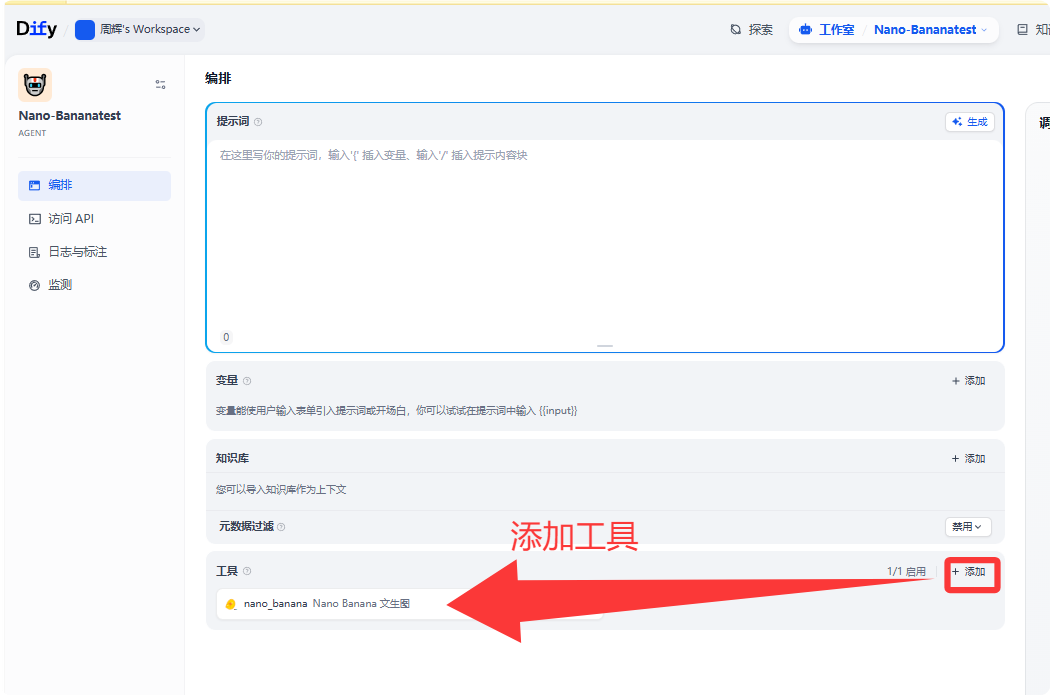

Chatflow Usage
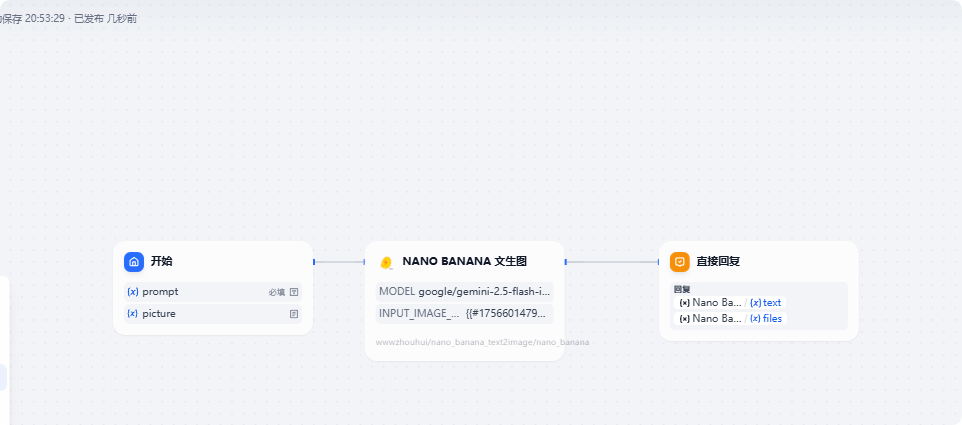
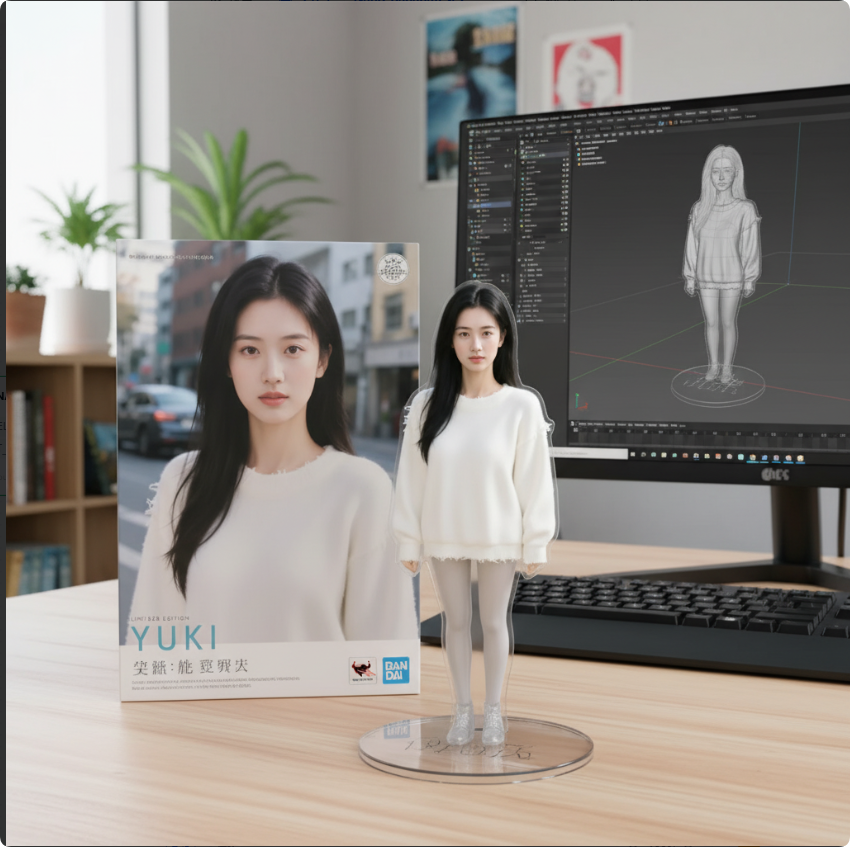
Prompt:
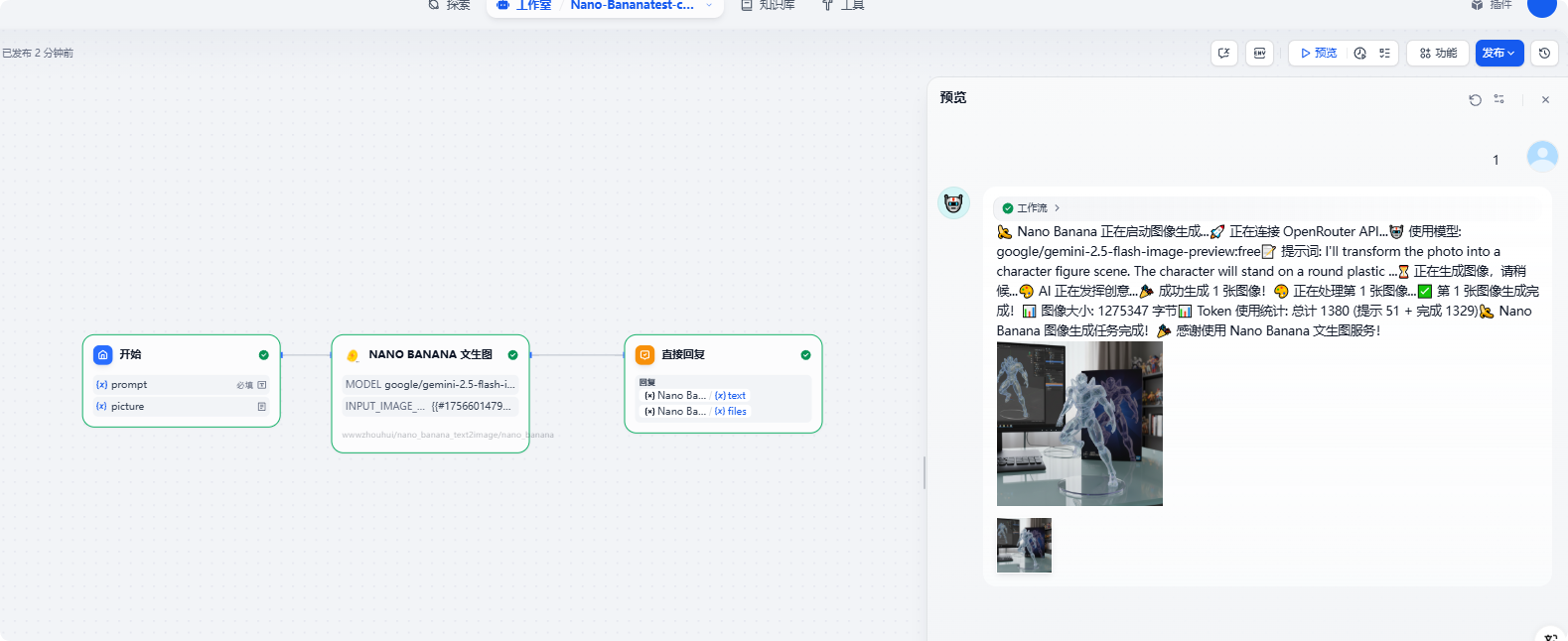
🛠️ Development Guide
Project Structure
Core Components
- OpenRouterProvider: Manages API authentication and connection validation
- Text2ImageTool: Implements core text-to-image logic
- Error Handling: Comprehensive exception handling and user prompts
🔧 Configuration Guide
API Key Configuration
- Enter your OpenRouter API Key in the Dify plugin configuration
- Ensure the API Key format is correct ()
- Confirm your account has sufficient balance (required for premium models)
Model Selection Recommendations
- Testing Phase: Use the free Gemini model
- Production Environment: Choose premium models based on quality requirements
- Artistic Creation: Recommend Claude 3.5 Sonnet
- General High-Quality: Recommend DALL-E 3
📊 Performance Optimization
- Timeout Settings: 60-second request timeout suitable for image generation tasks
- Error Retry: Intelligent error handling and retry suggestions
- Memory Management: Efficient image data processing
- Format Standardization: Unified PNG output format for compatibility
🐛 Troubleshooting
Common Issues
-
Invalid API Key
- Check if the API Key format is correct
- Confirm the API Key hasn't expired
- Verify account status
-
Insufficient Balance
- Go to OpenRouter Credits to recharge
- Use free models for testing
-
Generation Failure
- Check if prompts contain sensitive content
- Try switching models
- Simplify prompt descriptions
-
Network Issues
- Check network connection
- Confirm firewall settings
- Try again later
📝 Changelog
v0.0.1 (2025-08-30)
- ✨ Initial release
- 🔧 Complete implementation based on OpenRouter API
- 🎨 Support for multiple image generation models
- 🧪 Complete test framework
- 📖 Detailed documentation and usage guide
🤝 Contributing
Issues and Pull Requests are welcome!
📄 License
MIT License
🔗 Related Links
- OpenRouter API Documentation
- Dify Plugin Development Documentation
- Project Development Guidelines
Nano Banana - Making AI image generation simple and powerful! 🍌✨
CATEGORY
Tool
TAGS
PRODUCTIVITY
VERSION
0.0.3
wwwzhouhui·09/05/2025 10:03 AM
REQUIREMENTS
LLM invocation
Tool invocation
Maximum memory
1MB