

DALL-E art
DALL-E
Overview
DALL-E is an AI image generator developed by OpenAI that generates images based on text prompts. Dify has integrated the DALL-E tool, and the following are the steps to configure and use the DALL-E tool in Dify.
Configure
1. Apply for Dall-E API Key
Please apply for an API Key on the OpenAI Platform.
2. Get Dall-E tools from Plugin Marketplace
The Dall-E tools could be found at the Plugin Marketplace, please install it first.
3. Fill in the configuration in Dify
On the Dify navigation page, click and fill in the API Key.
Note: Base URL and Organization ID are optional. The Organization IDs can be found on your Organization settings page.
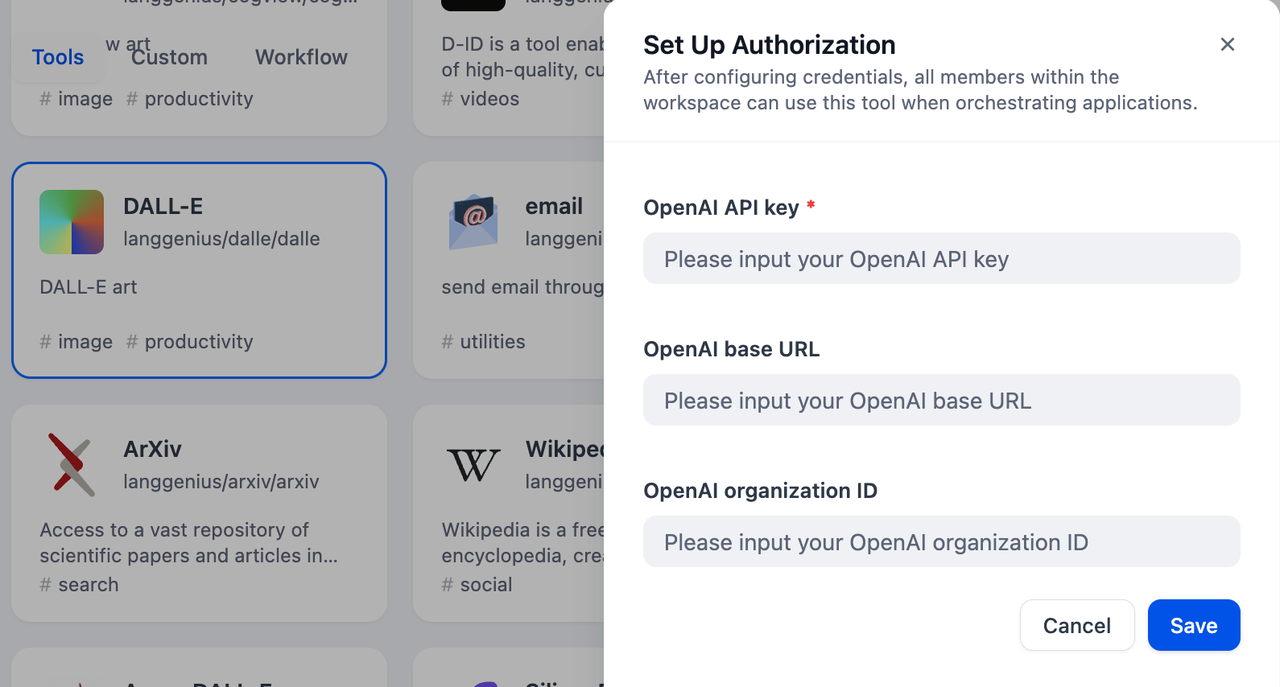
4. Use the tool
You can use the Dall-E tool in the following application types:
Chatflow / Workflow applications
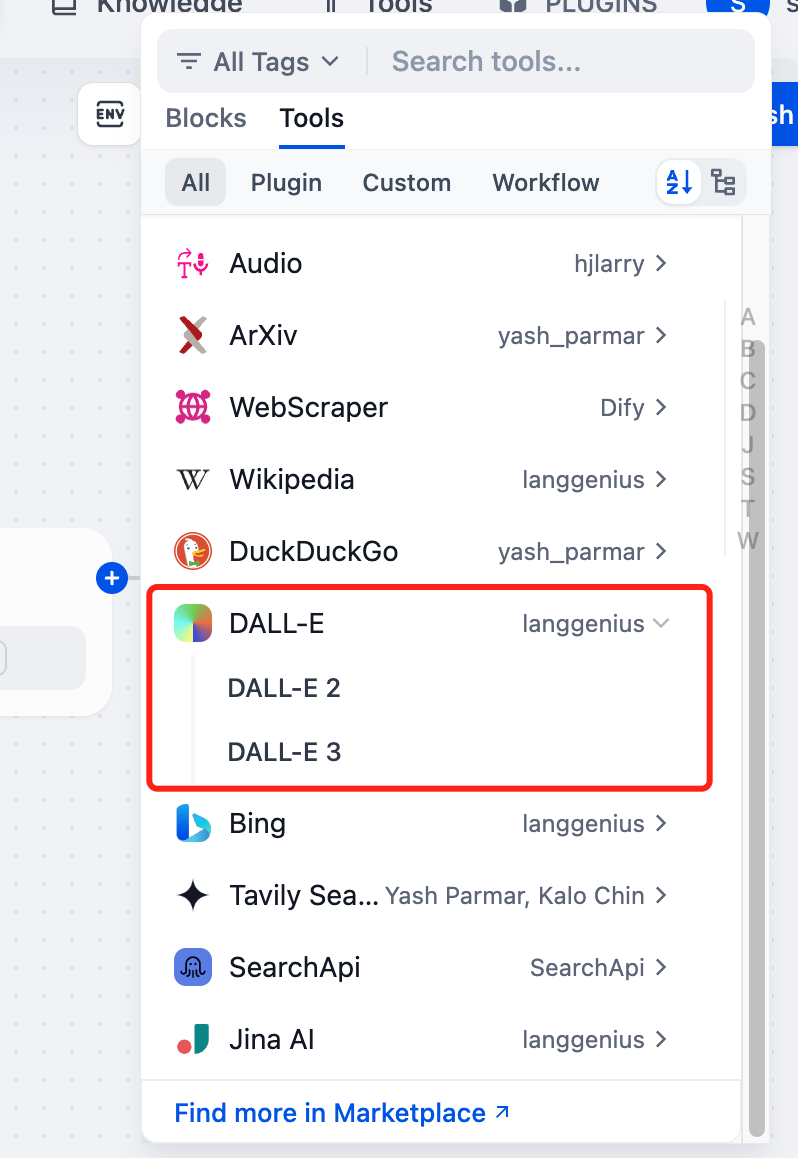
Both Chatflow and Workflow applications support the tool node. After adding it, you need to fill in the "Input Variables → Prompt" in the node with variables to reference the user's input prompt or the content generated by the previous node. Finally, use the variable to reference the image output by in the "End" node.
Agent applications
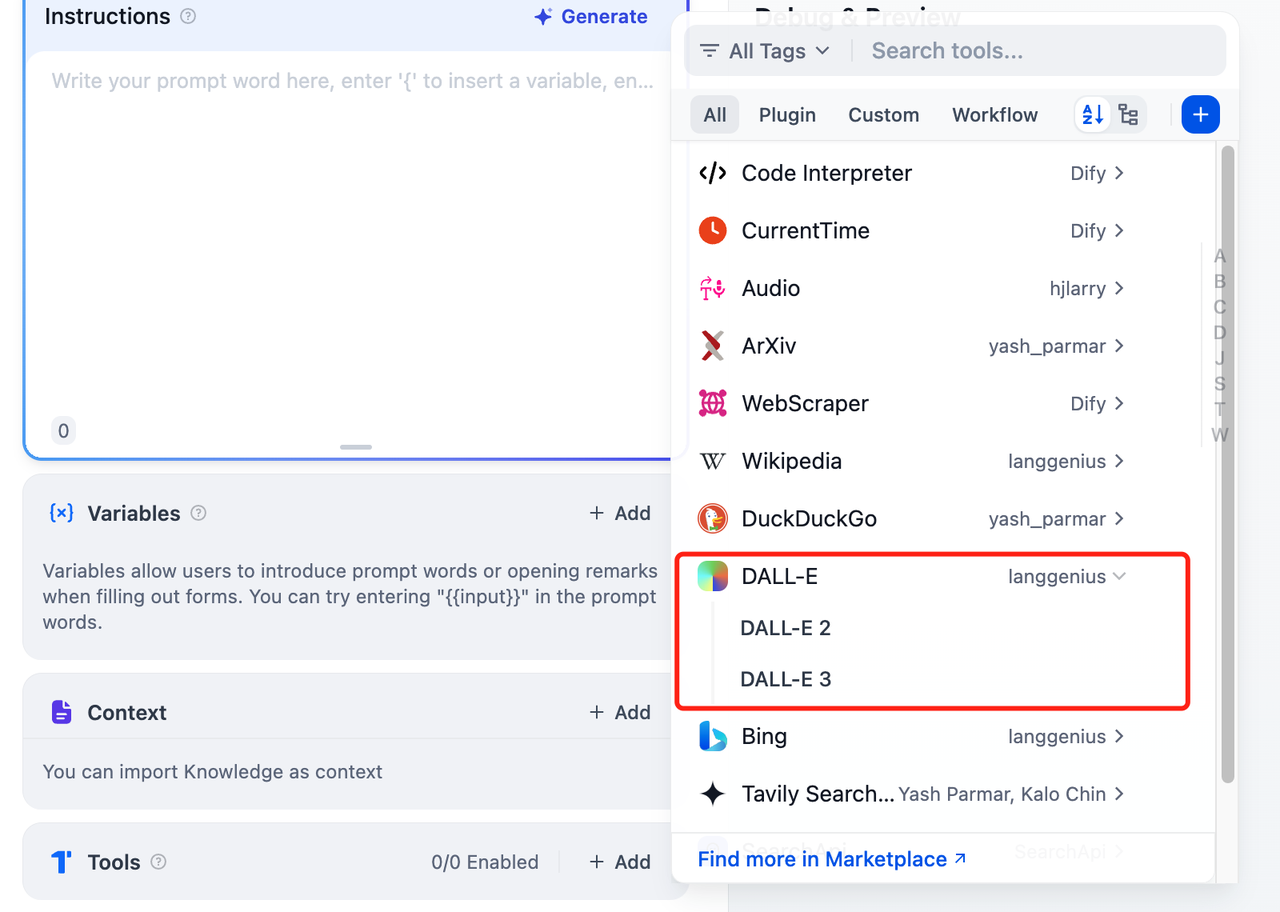
Add the Dall-E tool in the Agent application, then send a picture description in the dialog box to call the tool to generate an AI image.