

SkillWard is a Skill & MCP Security Scanner that identifies potential risks before AI Agent Skills and MCP projects are published or deployed. Beyond static analysis and LLM evaluation, it executes suspicious Skills in isolated Docker sandboxes, replacing uncertain warnings with runtime evidence.
SkillWard for Dify
Version: 0.0.12
Source: Fangcun-AI/SkillWard
Contact: GitHub Issues
SkillWard is a security scanning tool for Agent Skills and MCP, designed to identify potential risks before installation, publication, or integration. SkillWard scans Agent Skill and MCP ZIP archives, with flexible options for runtime policy, report language, and model service across different use cases. Each scan combines security Agent assessment with optional isolated runtime verification to analyze project code, configuration, and actual execution behavior. Results include a readable summary, security verdict, and structured report for display, conditional branches, and downstream processing.
Quick Start
The following example scans an Agent Skill.
1. Configure a credential
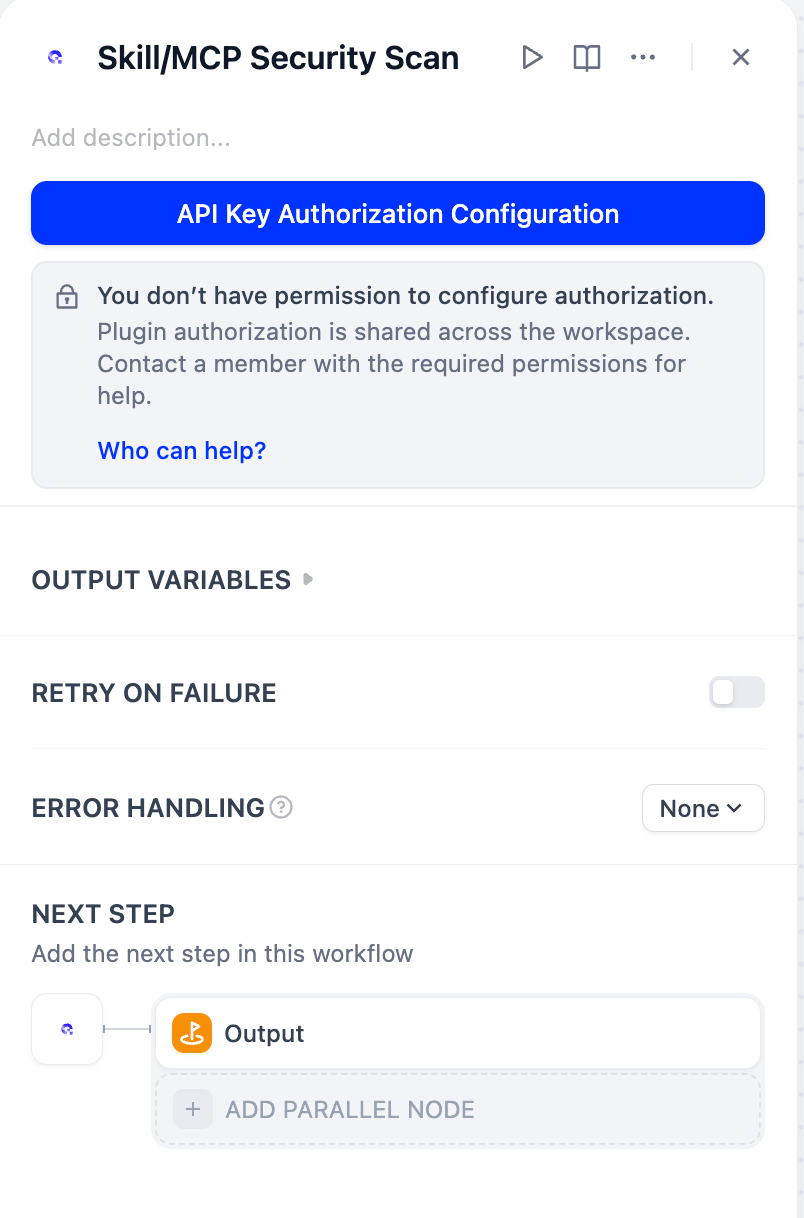
Add SkillWard → Skill/MCP Security Scan to a workflow. On first use, click API Key Authorization Configuration.
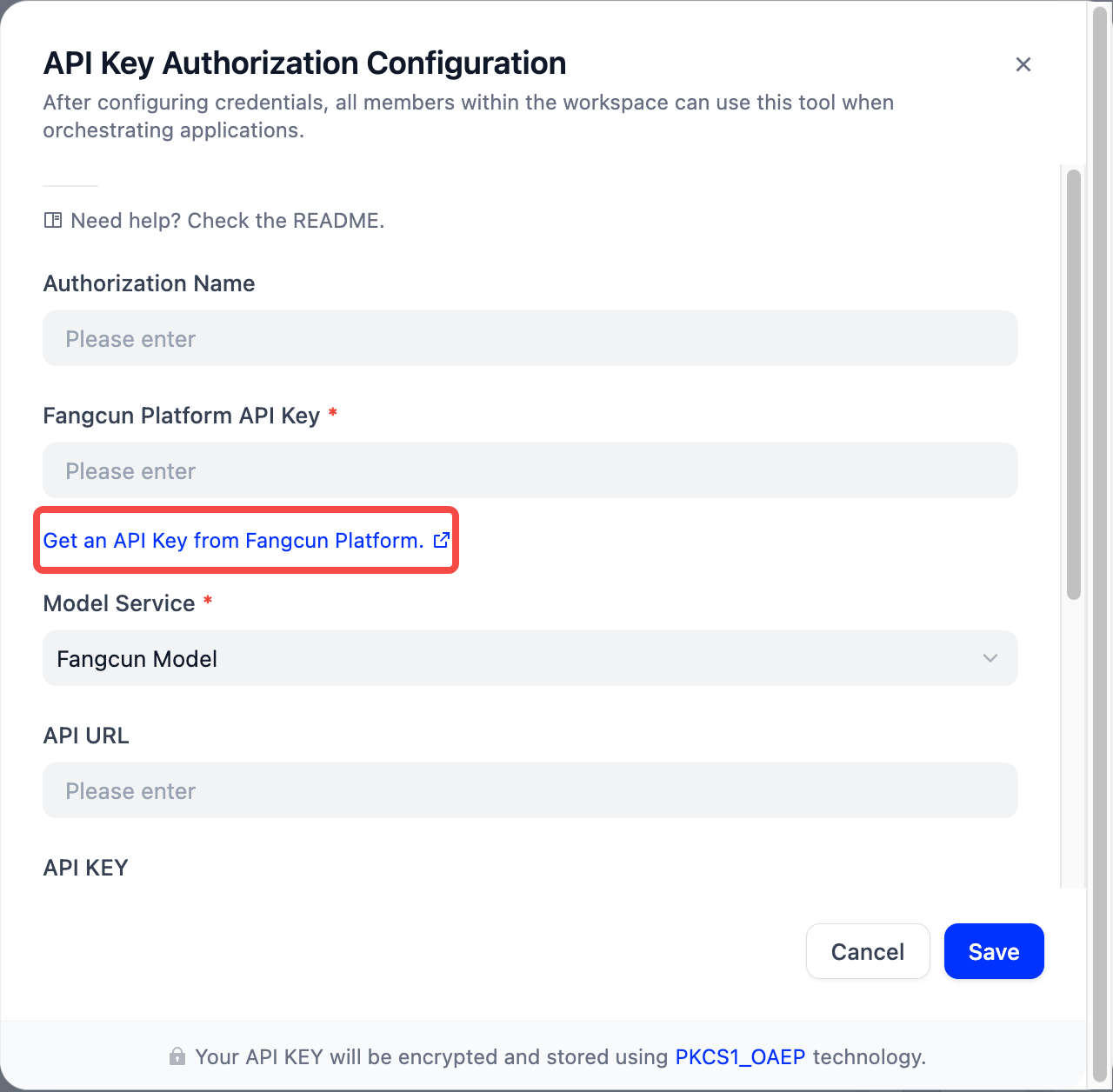
Click the blue link below Fangcun Platform API Key.
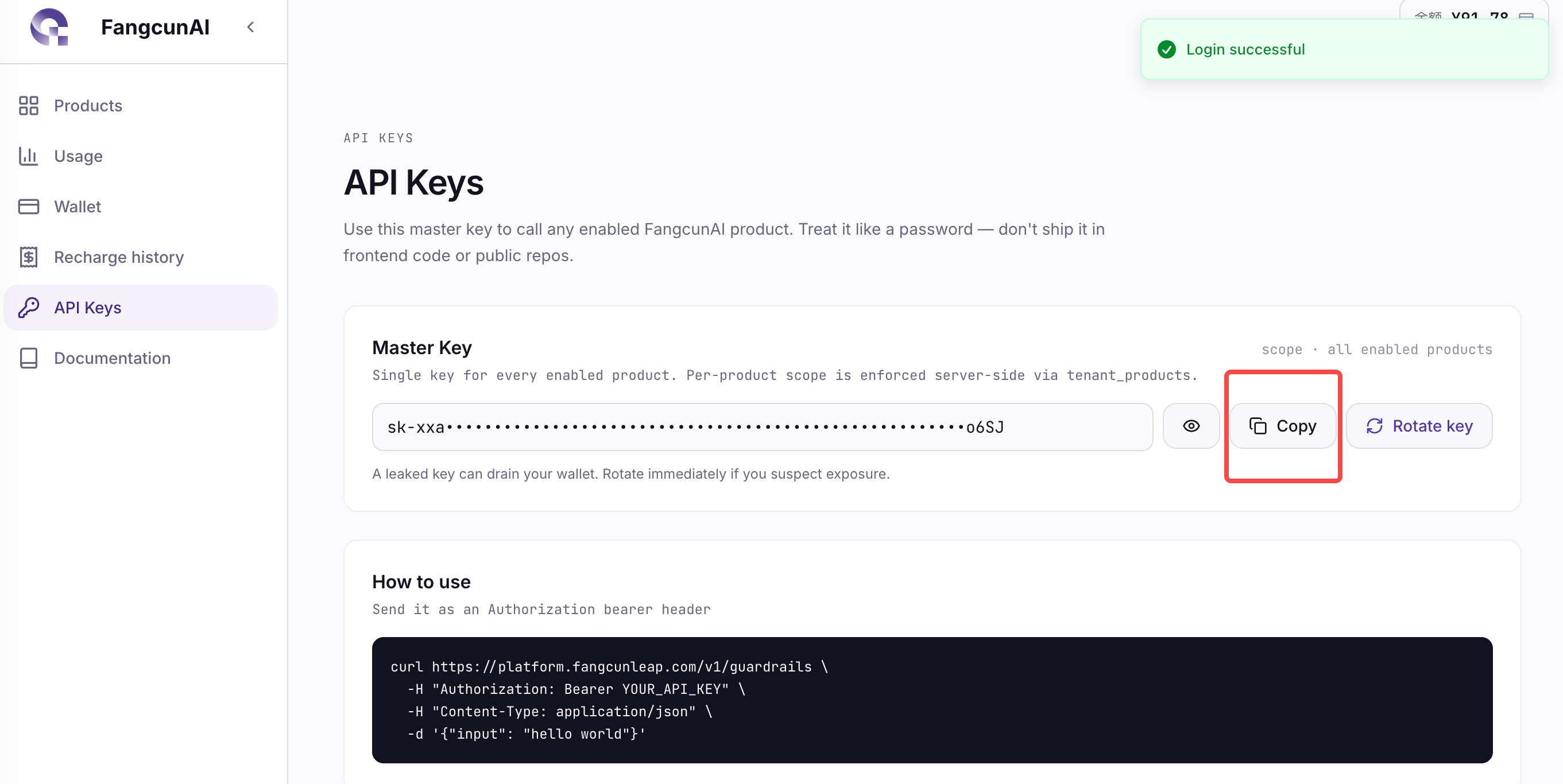
Sign in or register, then copy the Key from the Fangcun Platform API Keys page.
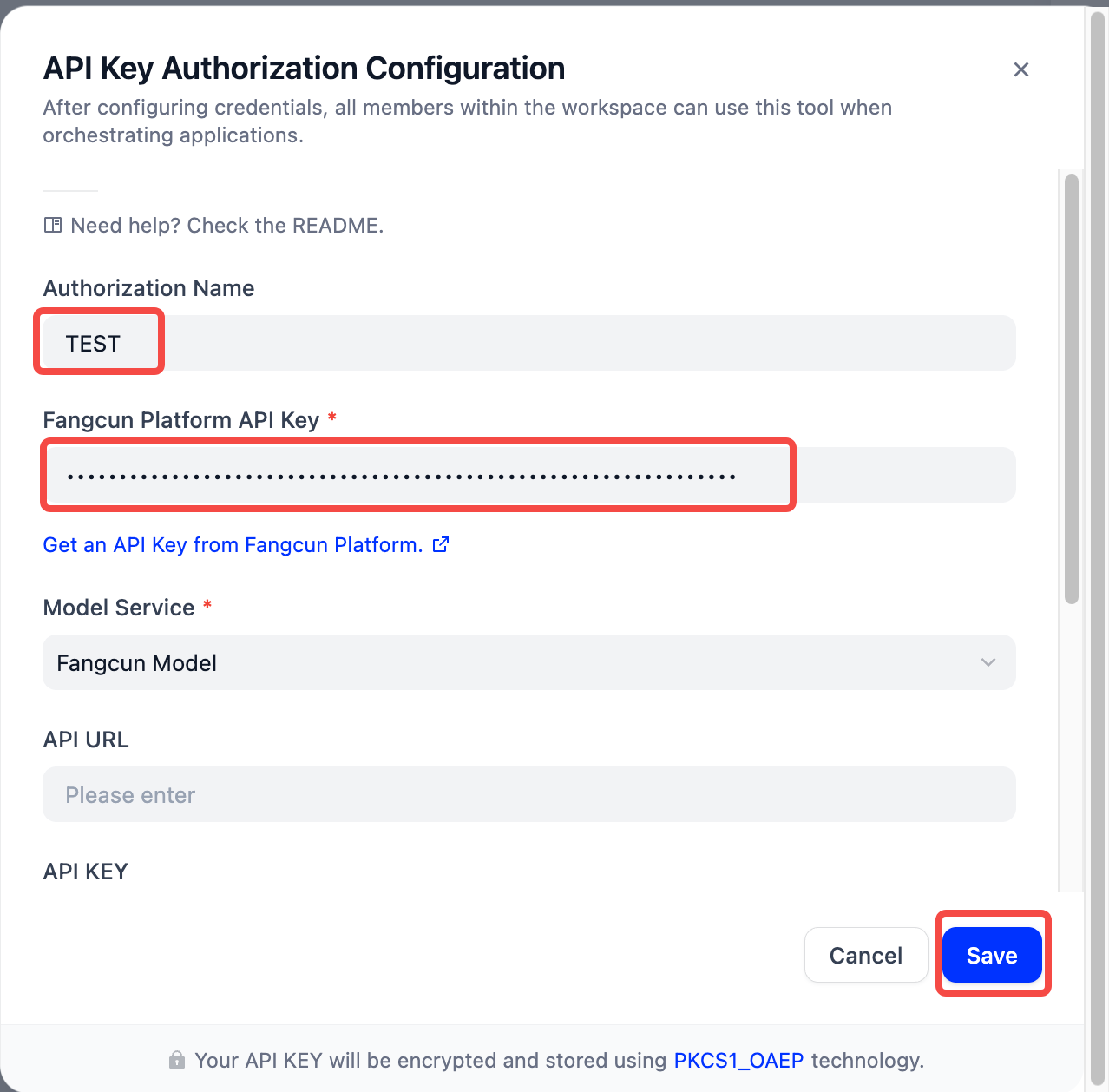
Return to Dify. Enter a credential name, paste the Key, select Fangcun Model, leave all custom model fields empty, and save.
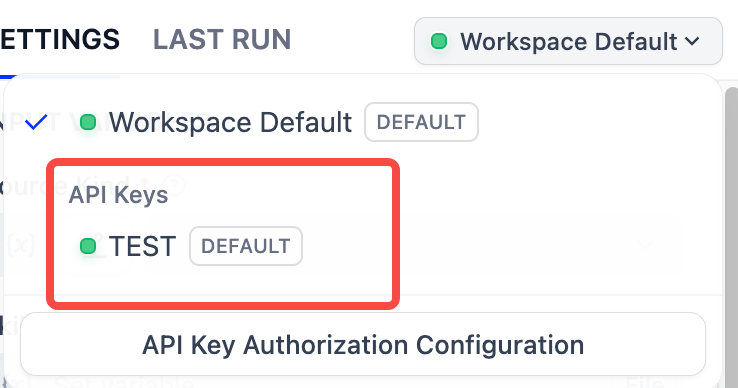
Select the saved credential from the scan node's upper-right menu.
2. Add a file input
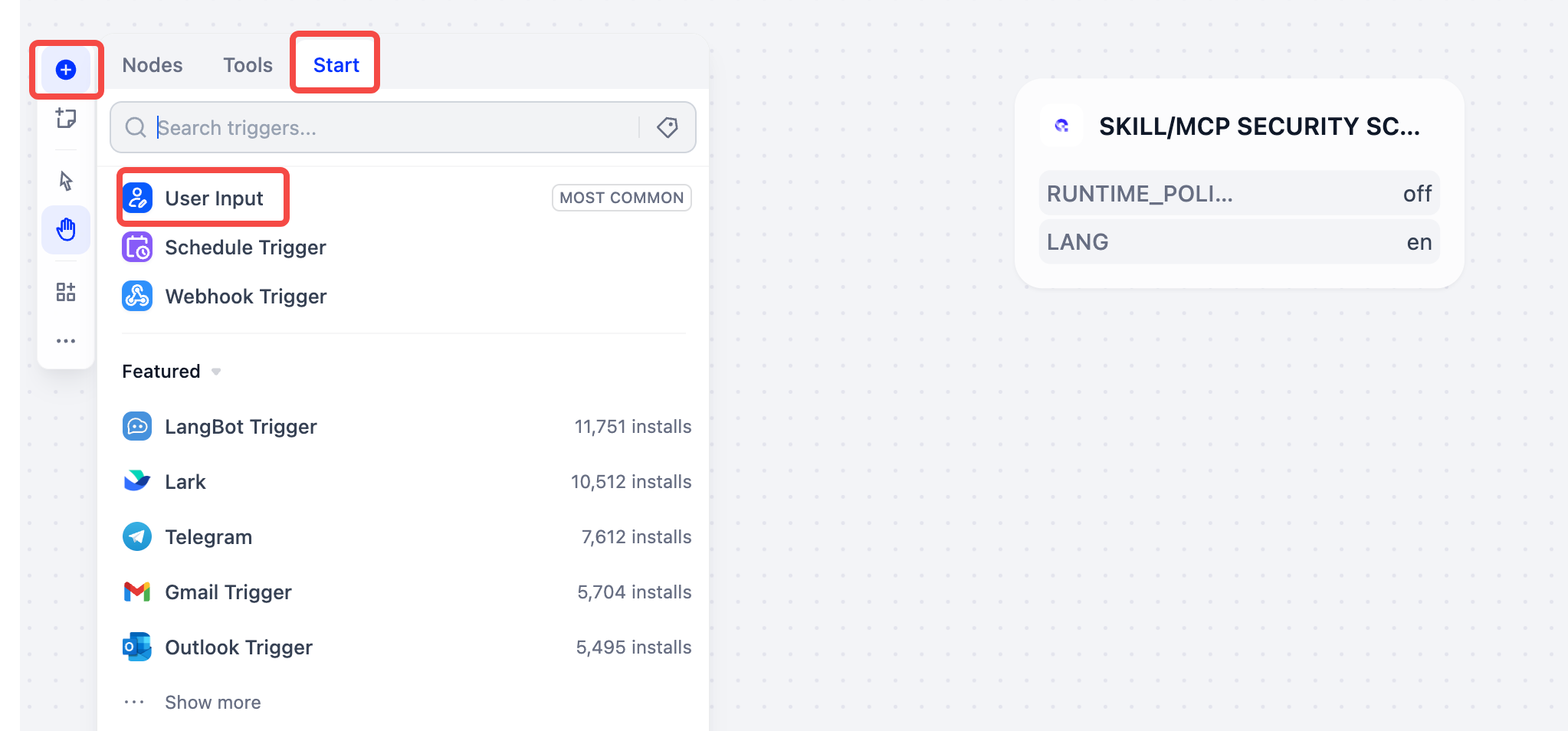
In the workflow, click on the left of the canvas, open Start, and add User Input.
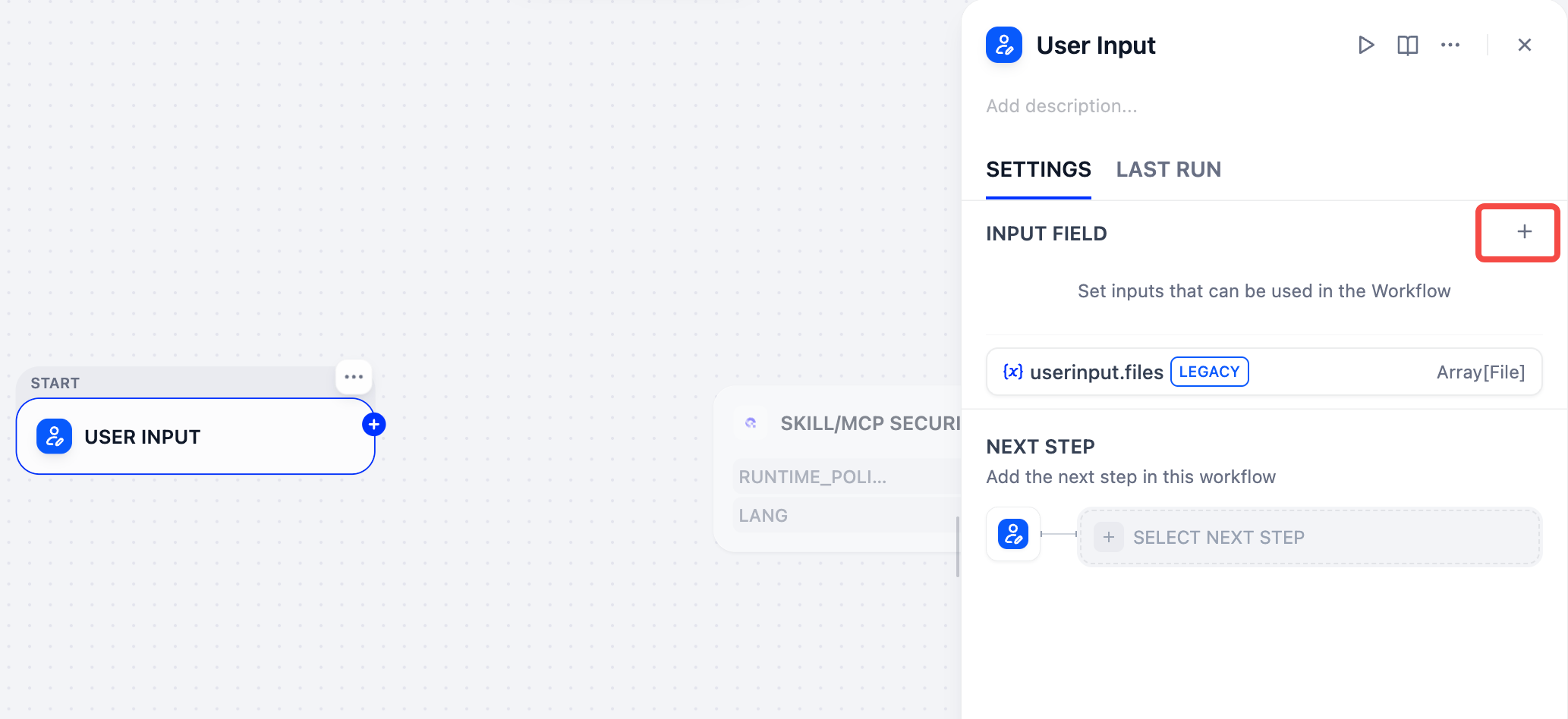
Open the User Input node and click next to its input fields.
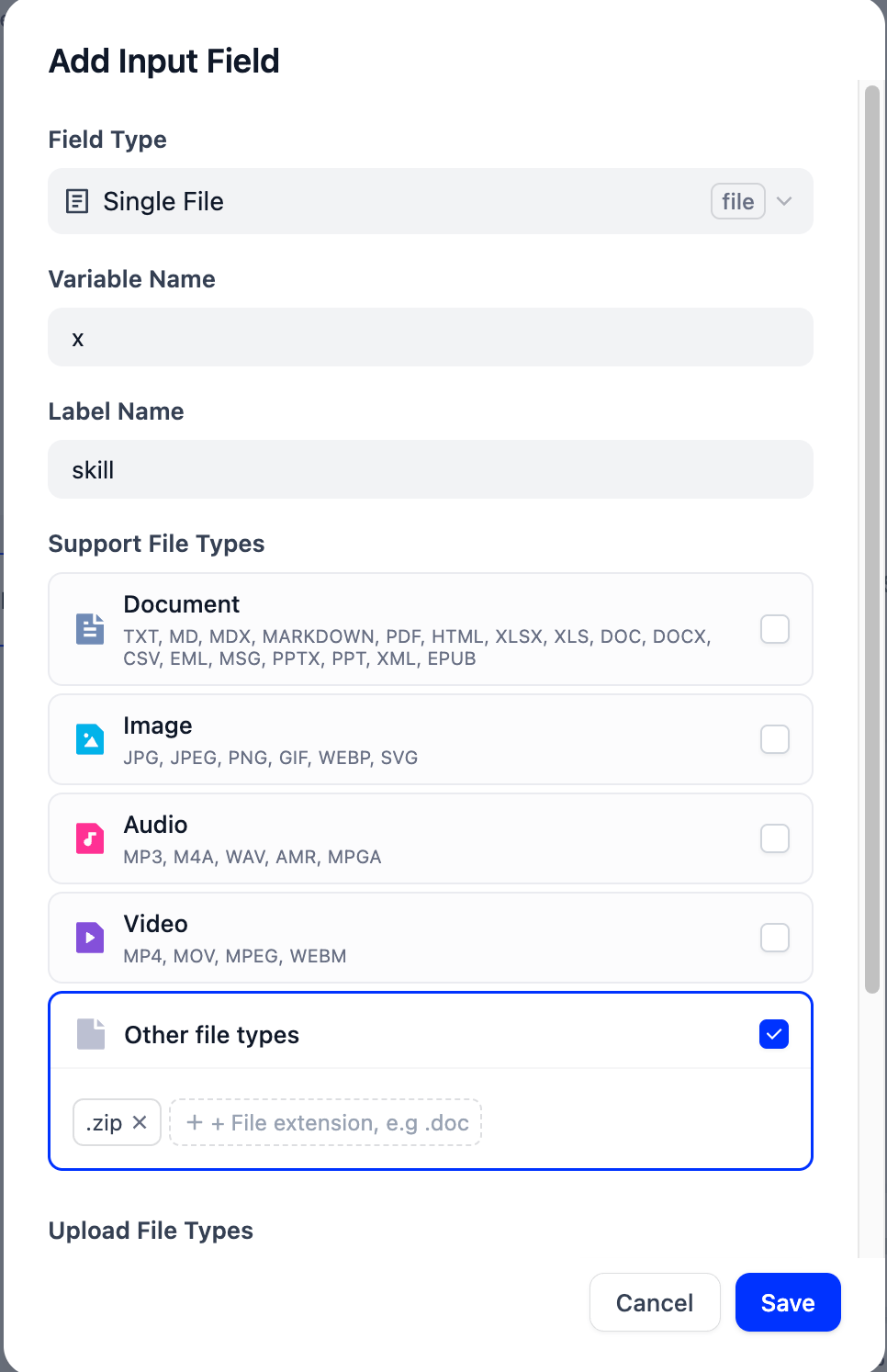
Set the field type to Single File, variable name to , display name to , enable Other file types, enter , and save.
3. Configure the scan
The following example uses an Agent Skill archive.
For MCP archives and custom models, see Other Scans and Settings.
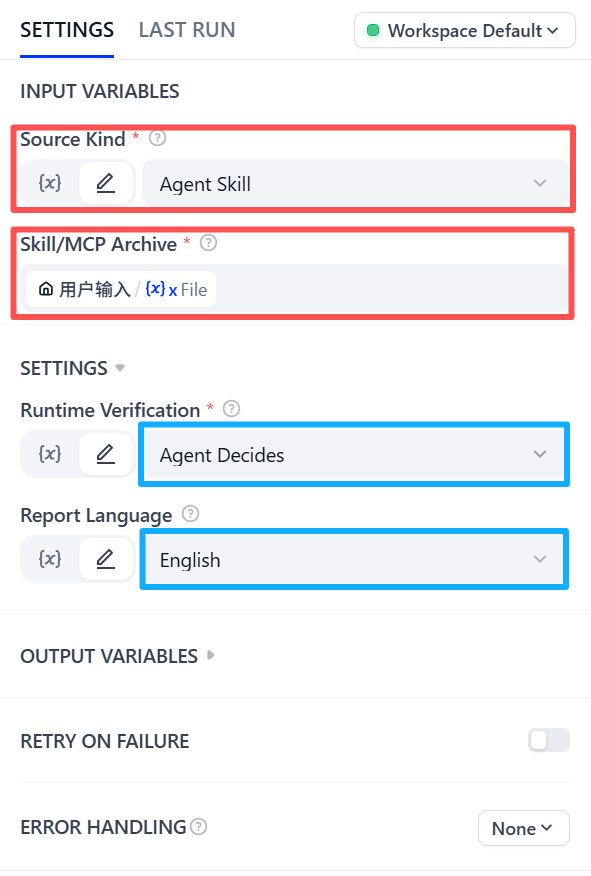
Connect User Input to Skill/MCP Security Scan, then set:
- Source Kind:
- Skill/MCP Archive:
- Runtime Verification:
- Report Language: select as needed
4. Output and run
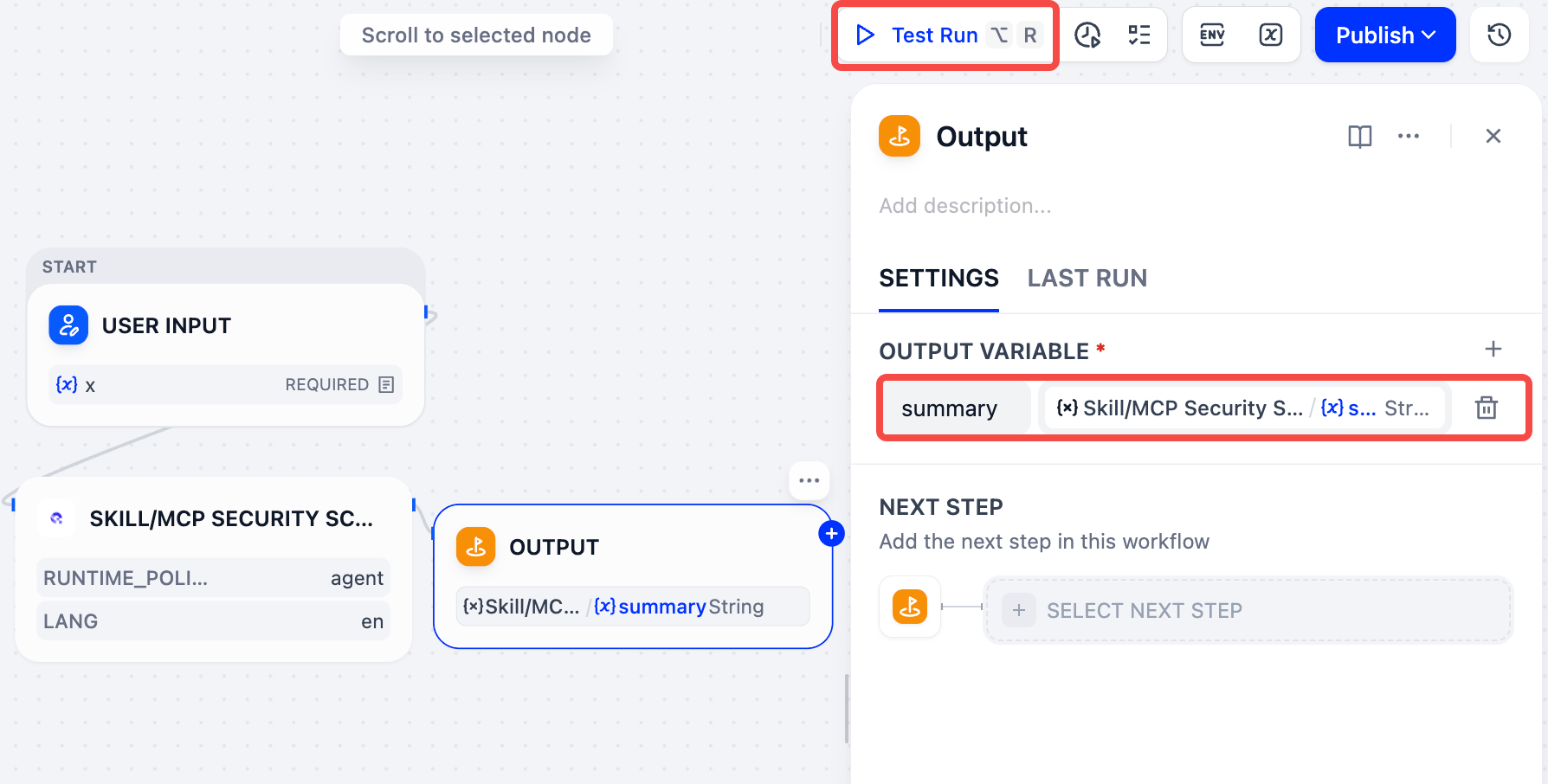
Add an Output node and connect the scan node. Name the output and select as its value.
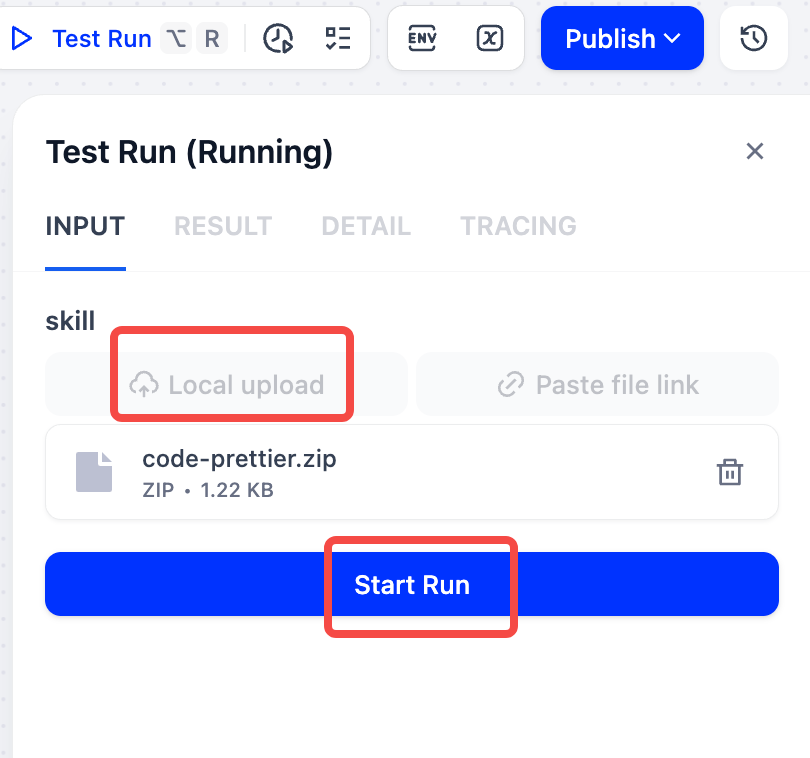
Click Test Run, upload the Agent Skill , and click Start Run.
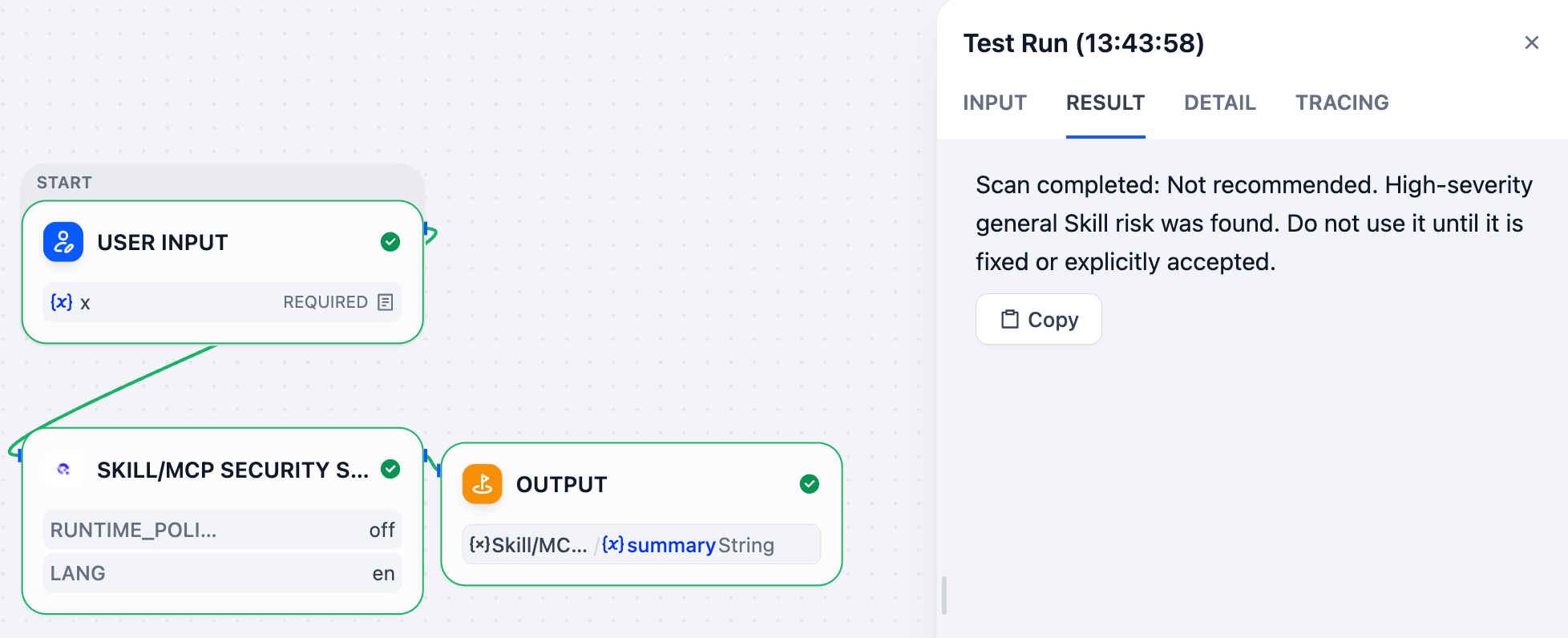
When the scan finishes, read the security conclusion under Result.
Other Scans and Settings
Scan MCP
Set Source Kind to , then select the uploaded MCP project under Skill/MCP Archive. The remaining settings are the same as for an Agent Skill scan.
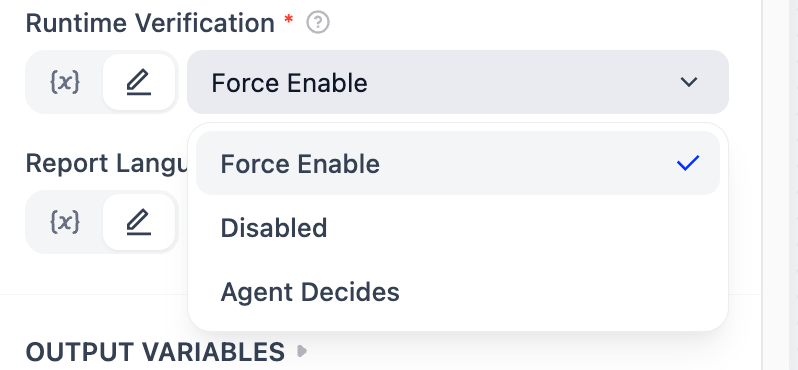
Runtime Verification
- Disabled: skip isolated Runtime verification for the fastest scan.
- Agent Decides: let the scanning Agent decide whether verification is needed.
- Force Enable: run isolated Runtime verification for every scan.
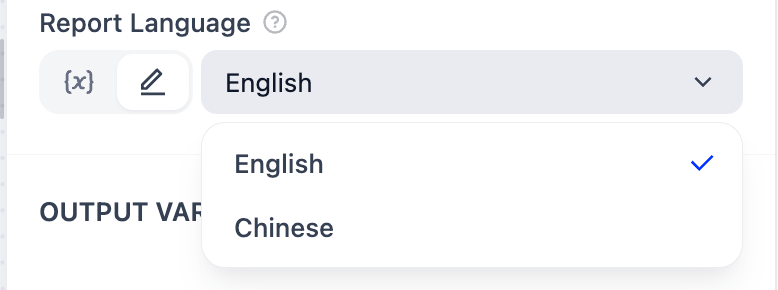
Report Language
Select Chinese or English for the report's human-readable content.
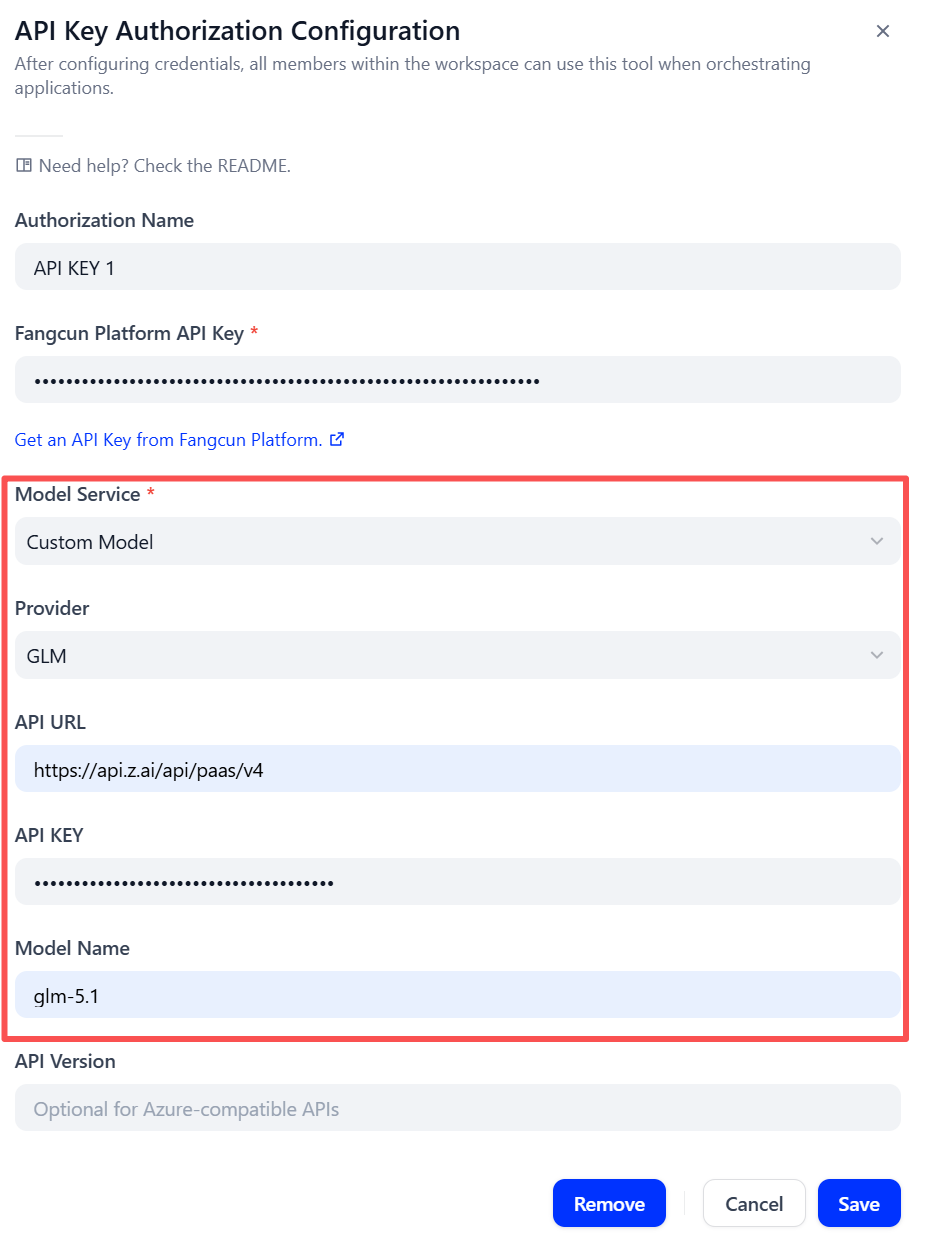
Use a Custom Model API
Use Fangcun Model with all custom fields empty unless you have your own supported model API. For your own model:
- Select Custom Model.
- Select the model provider.
- Enter its , , and model name.
- Enter an API version only when required by the provider.
This API KEY belongs to the model provider; it is not the Fangcun Platform API Key.
Output Variables
Common Problems
- API Key cannot be saved: Open Fangcun Platform API Keys, confirm the Key is usable, and remove surrounding spaces.
- Fangcun Model cannot be saved: Leave all four custom model fields empty.