

a collection of subscription and paid tools
Alipay AI Subscription Payment Plugin
Author: alipay
Version: 0.0.1
Type: tool
Plugin Description
Overview
AI agent developers can seamlessly integrate subscription payment services through the Alipay AI Subscription Payment Plugin. This plugin enables developers to implement flexible pricing models (per-usage or time-based) within their AI agents. Currently, it provides subscription initialization, subscription status querying, and subscription-based consumption tracking capabilities.
Core Features
This plugin encompasses three essential tools:
- Initialize Alipay Subscription Link - Creates an Alipay subscription order and returns a payment URL
- Query Alipay Subscription Status - Checks the status of subscription agreements
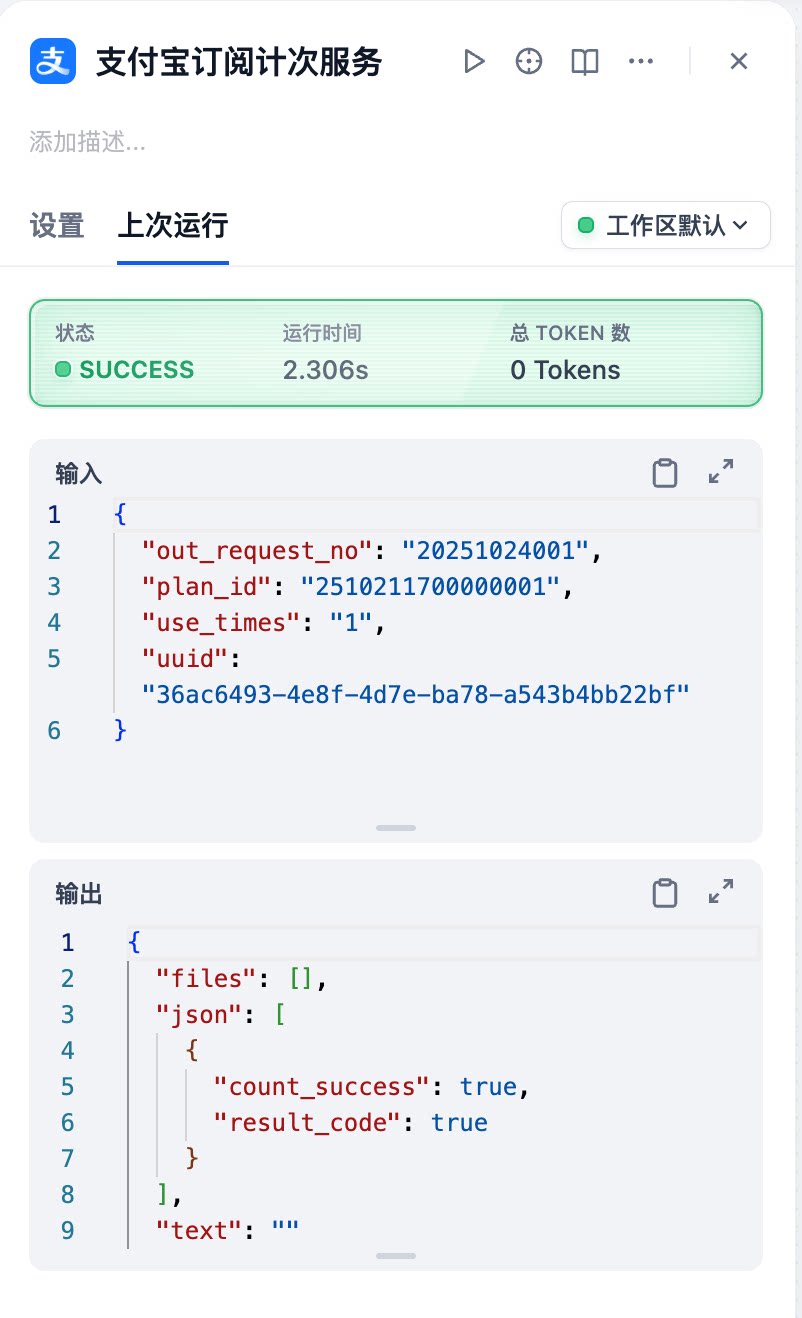
- Alipay Subscription Usage Service - Executes subscription consumption with usage-based billing
Configuration Guide
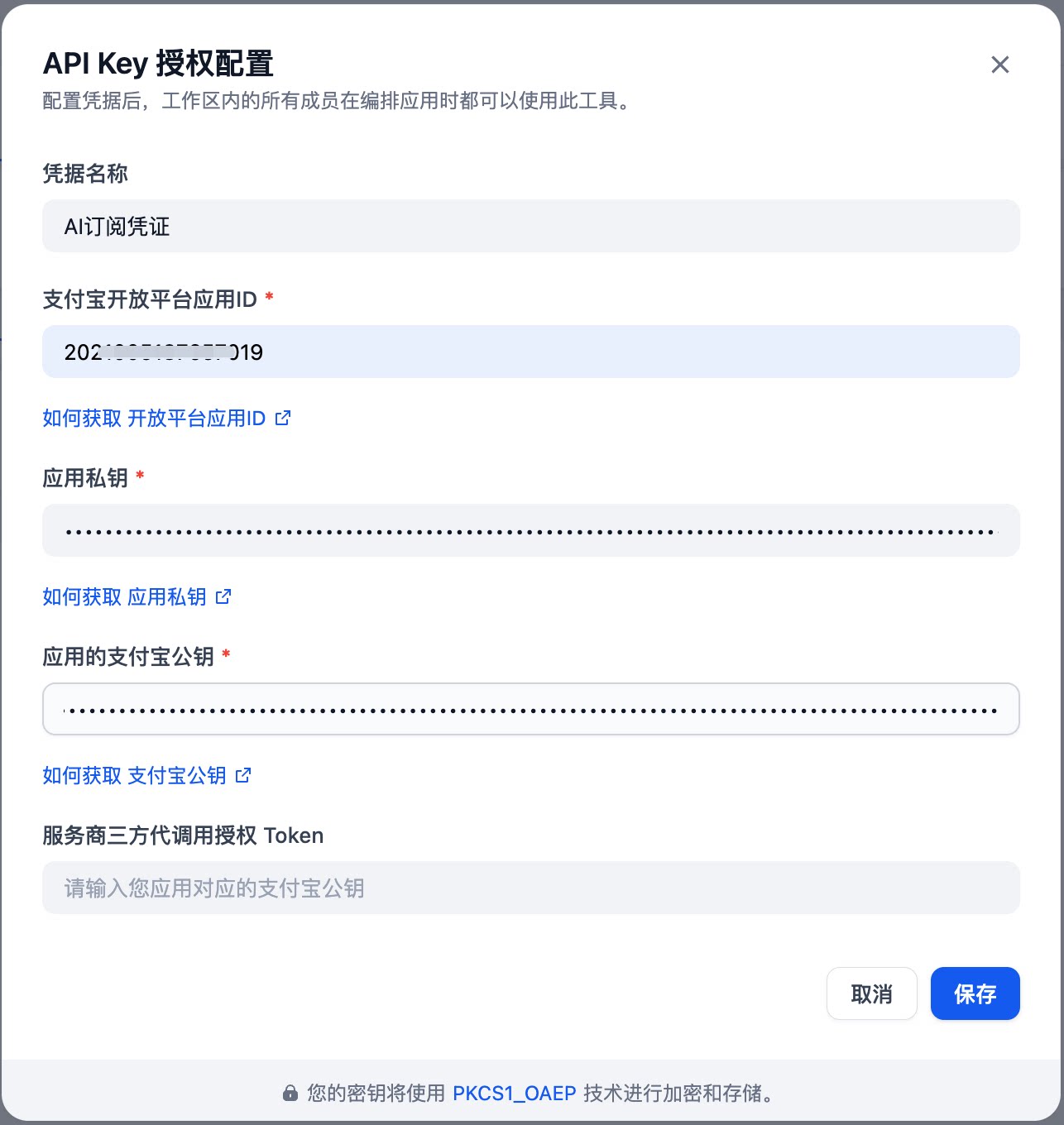
API Key Authorization Configuration
To configure API Key authorization, the following parameters are required:
How to Obtain: For detailed instructions on obtaining Alipay Open Platform App ID, Application Private Key, and Alipay Public Key, please refer to: Integration Prerequisites
Tool Documentation
1. Initialize Alipay Subscription Link
Creates an Alipay subscription order and returns a payment URL. Users can click the link to be redirected to Alipay to complete the subscription payment.
Parameter Specifications:
2. Query Alipay Subscription Status
Queries the status of Alipay subscription agreements to verify whether a user's subscription remains valid.
Parameter Specifications:
3. Alipay Subscription Usage Service
Executes Alipay subscription consumption with usage-based billing operations.
Parameter Specifications:
Usage Examples
Using a simple conversational AI agent as an example, we demonstrate an AI assistant integrated with subscription capabilities. This assistant provides subscription services to users, including subscription creation, status querying, and usage-based billing.
1. API Key Authorization Configuration
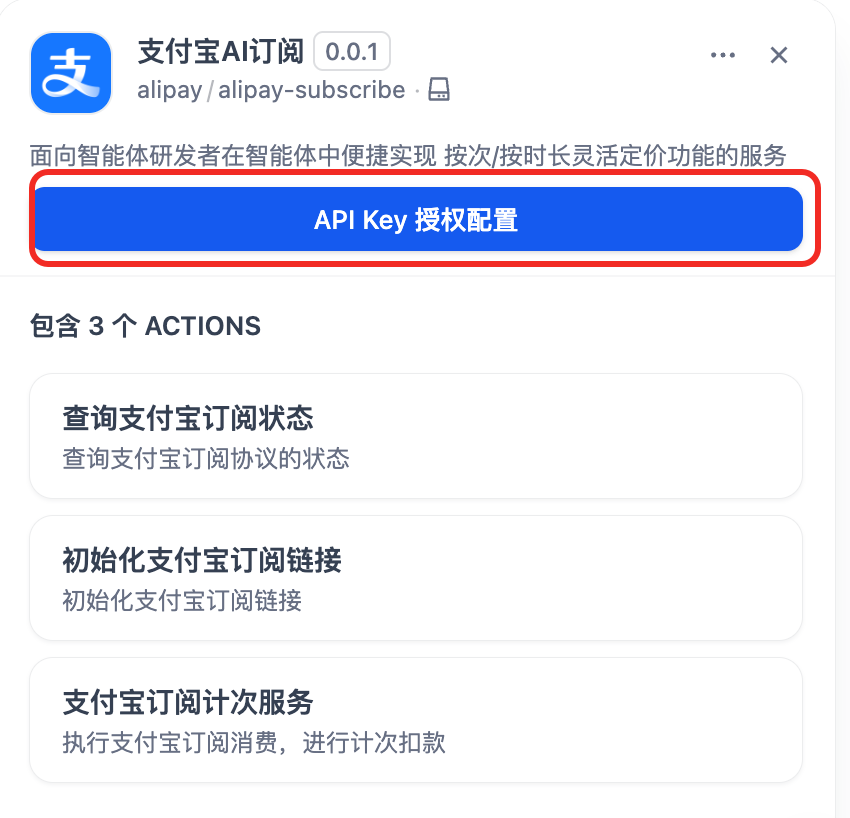
2. Adding Alipay Subscription Plugin
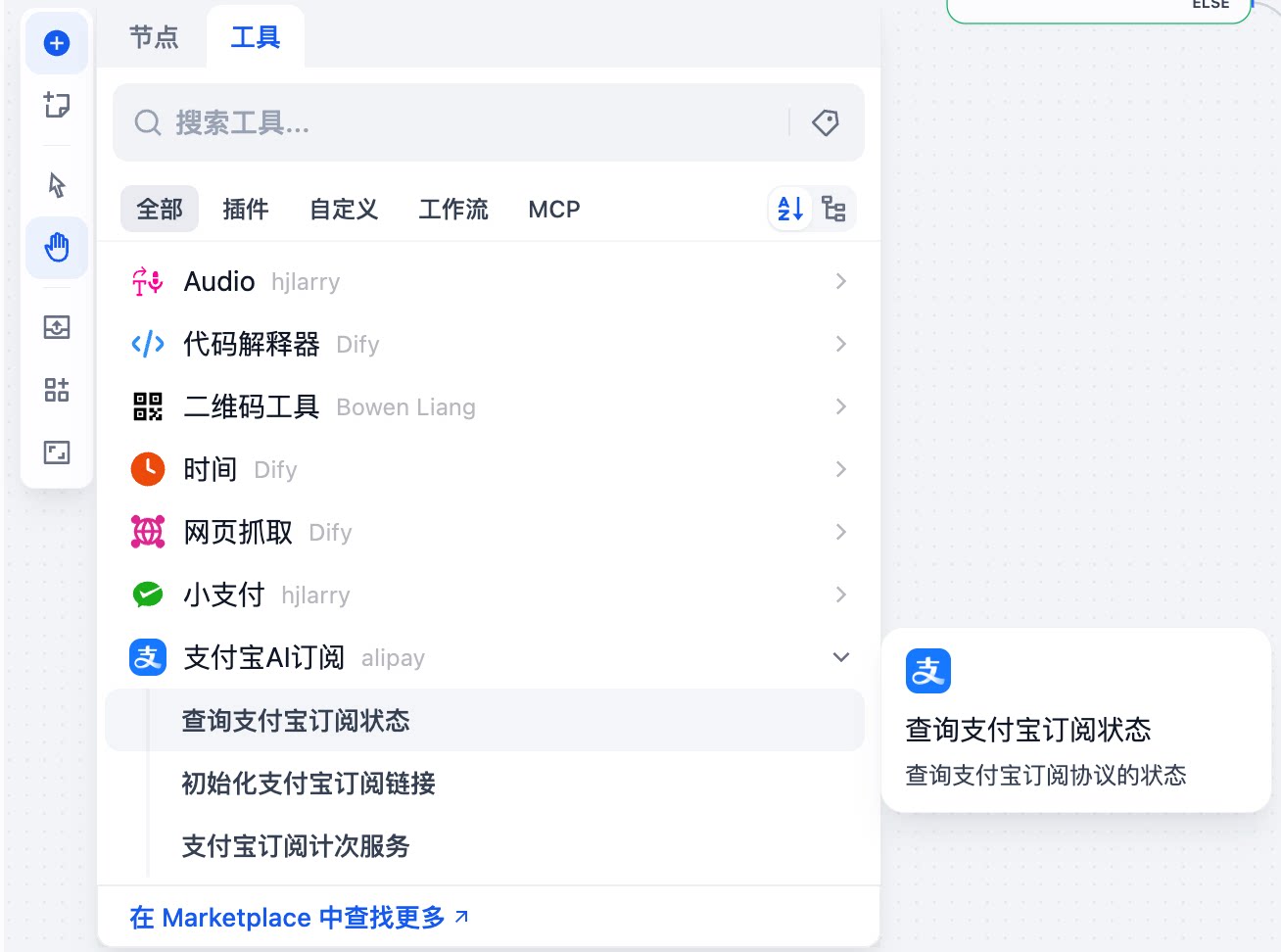
Add the Alipay subscription plugin to your AI agent in the Dify platform.
2.1. Query Subscription Status
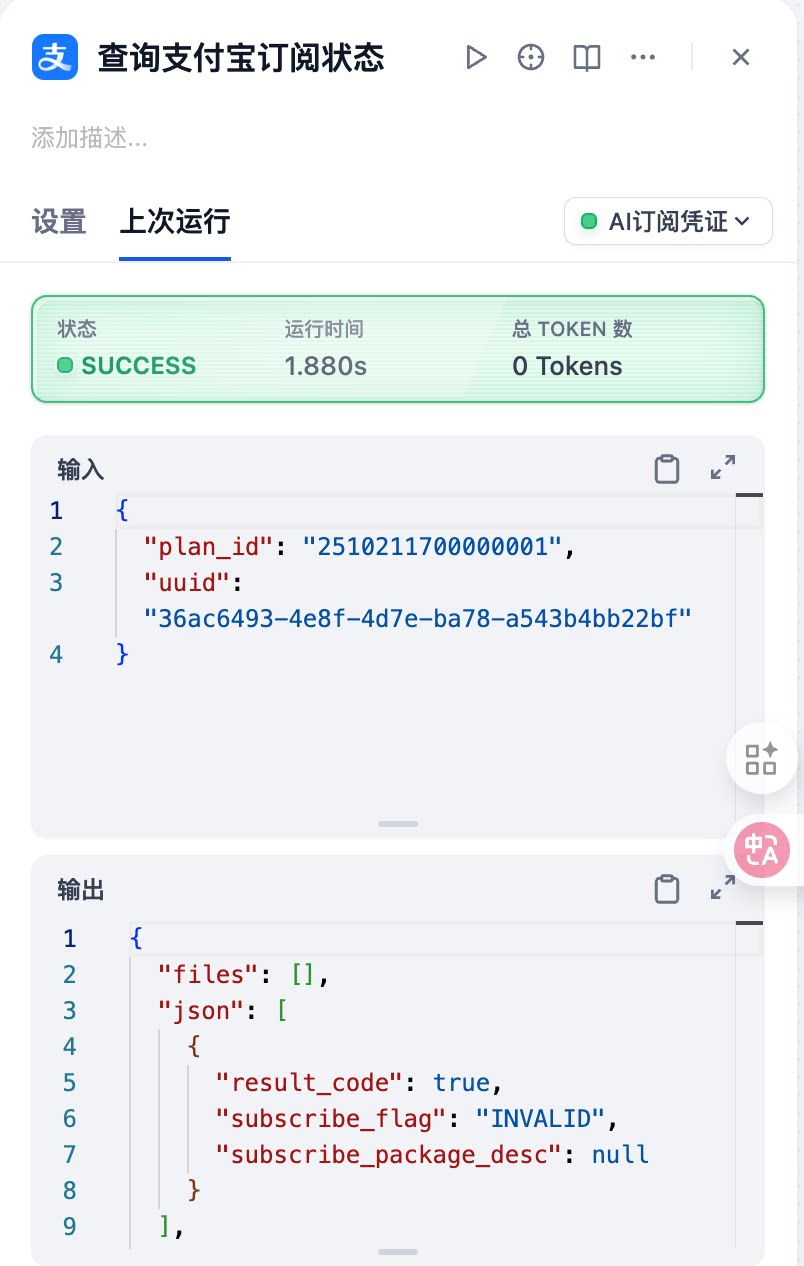
In a workflow scenario, when users inquire about subscription status, invoke the "Query Alipay Subscription Status" tool:
Response:
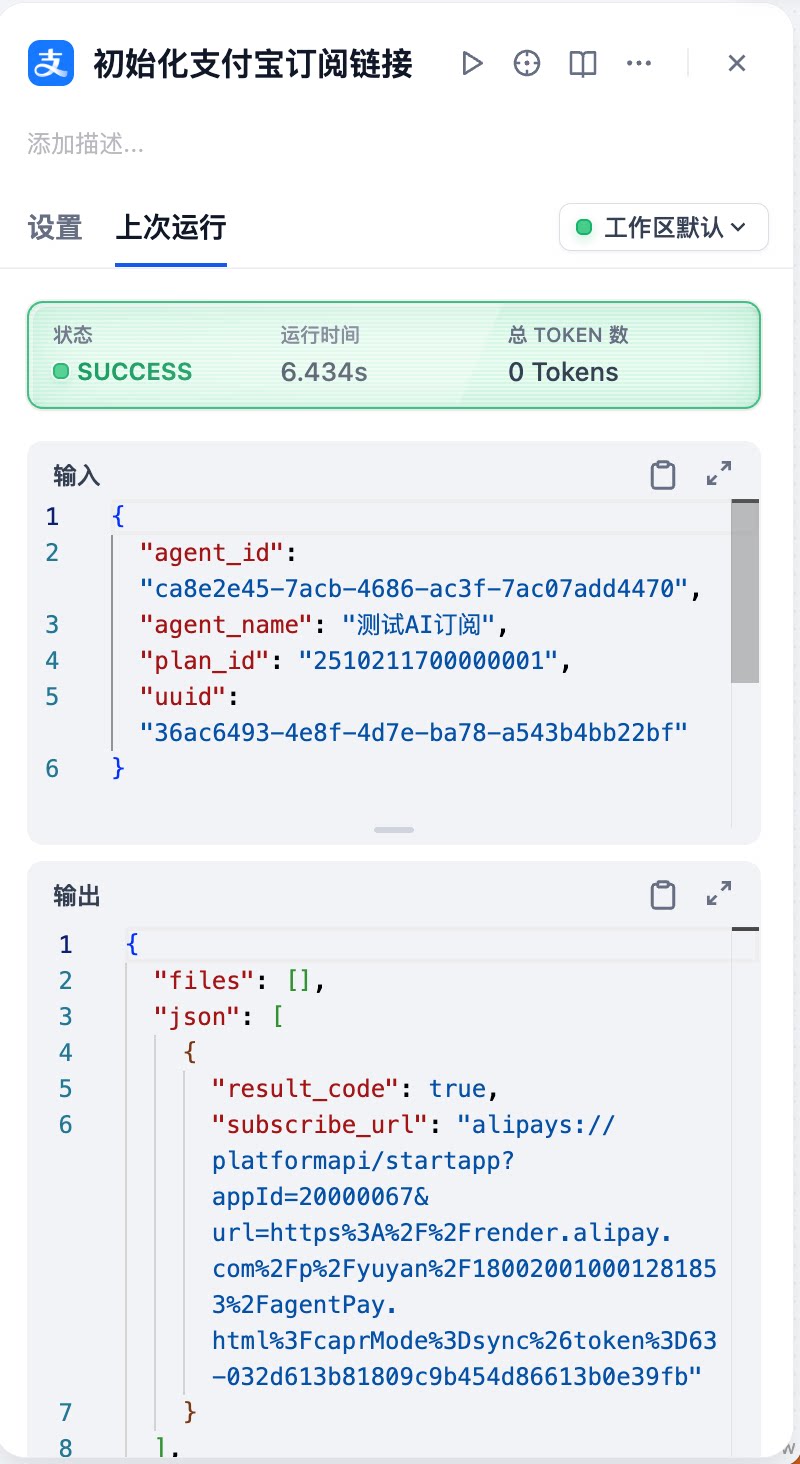
2.2. Create Subscription Link
When users request subscription services, invoke the "Initialize Alipay Subscription Link" tool to generate a payment URL. After generating the subscription link, for desktop users, convert the URL to a QR code to guide users through scanning and subscribing. For mobile users, direct clicking will initiate the subscription.
Response:
2.3. Usage-based Billing
When users utilize services, invoke the "Alipay Subscription Usage Service" tool for usage-based billing:
Response:
Frequently Asked Questions
Contact Us
We look forward to exploring the limitless possibilities of AI subscription payments with developers, jointly creating smarter and more convenient subscription payment experiences. If you encounter any issues during usage or have collaboration inquiries, please join the Alipay AI Service Partnership Group by scanning the DingTalk QR code below. We are always ready to listen to your suggestions and requirements.
